
Rental inventory import
Import rental and consumable inventory with a review step
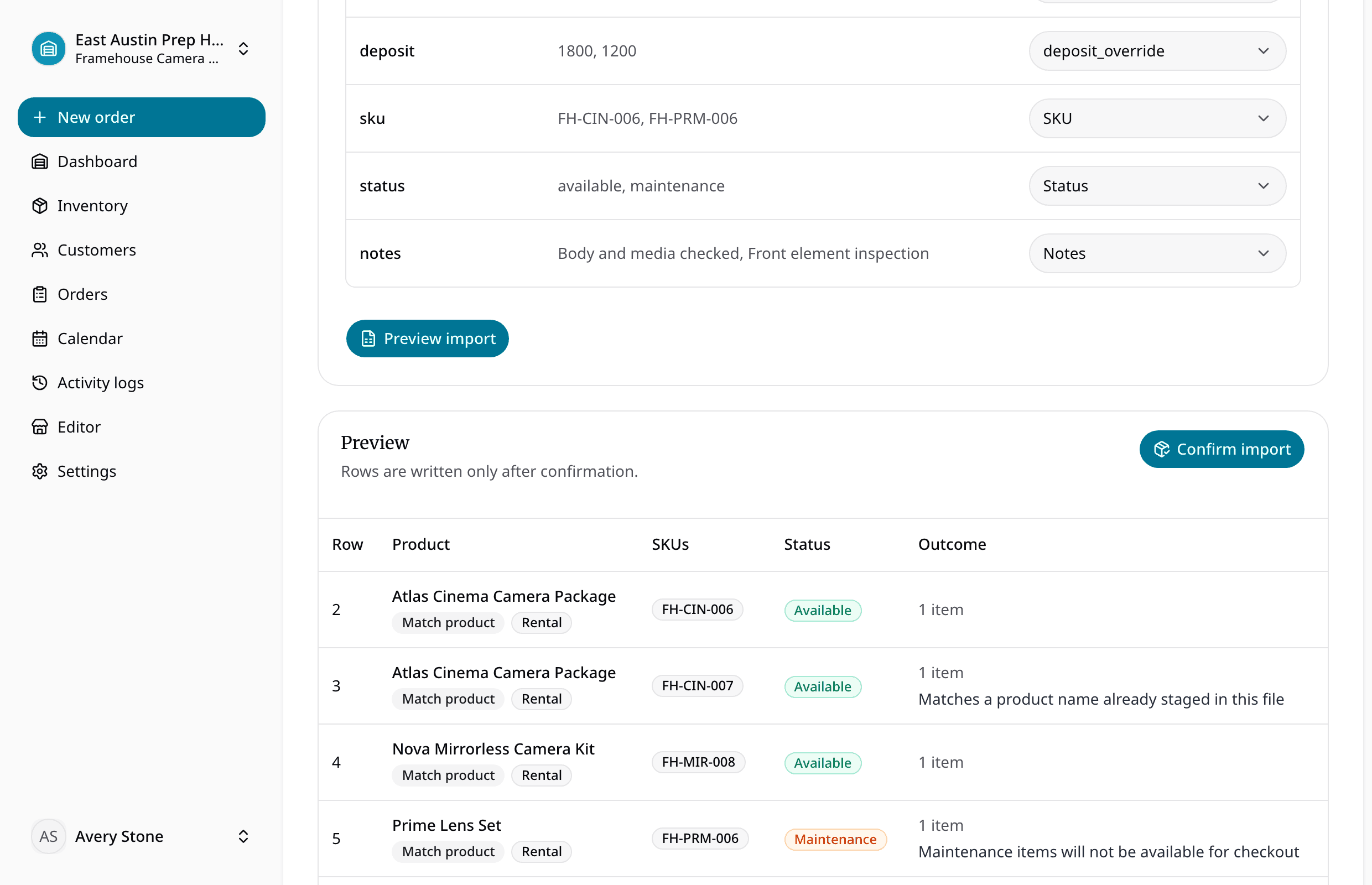
Upload CSV or XLSX, map fields, preview products and variants, inspect generated identifiers and warnings, then confirm only the records the team is ready to use.
Start free trial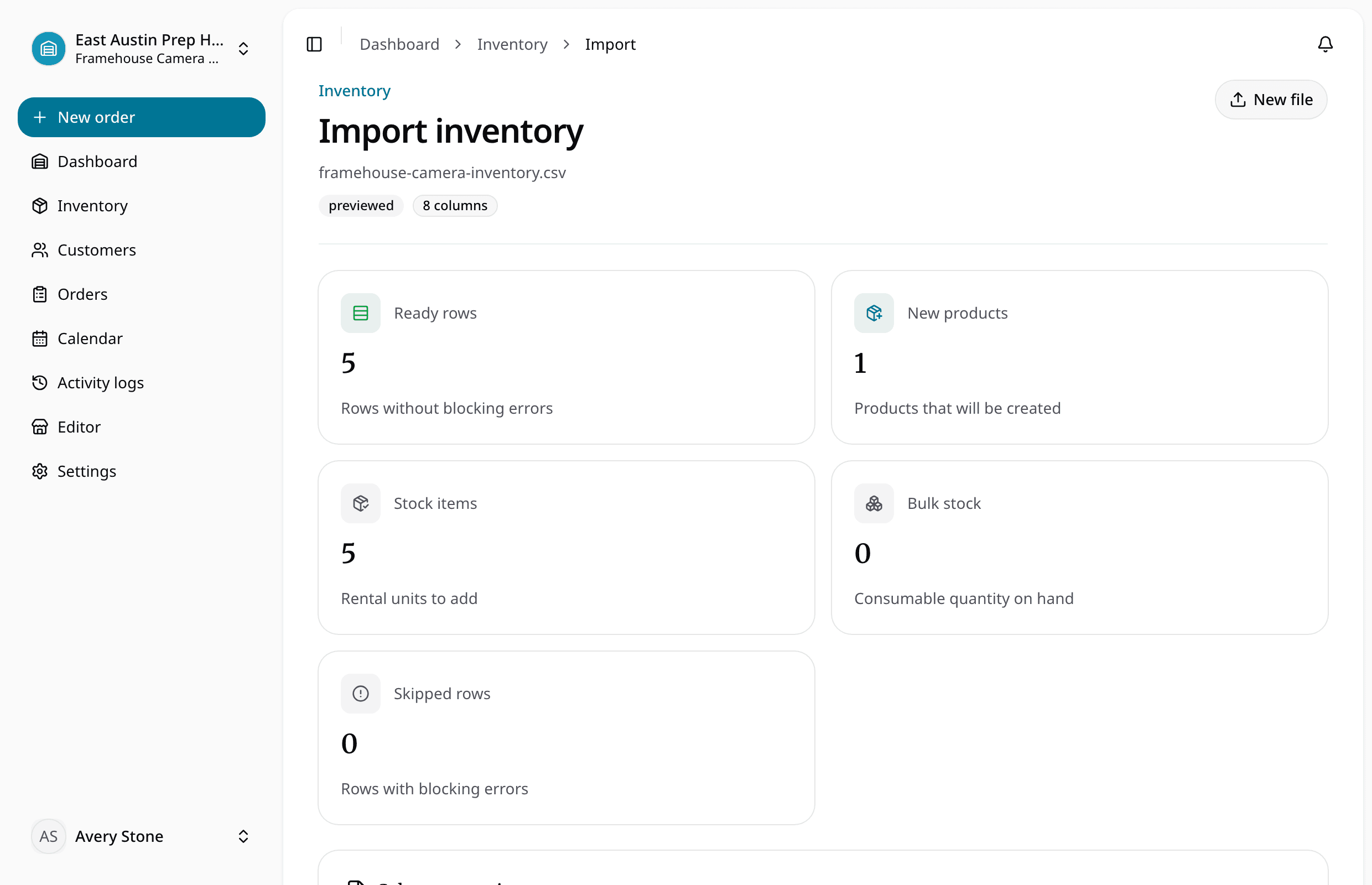
Quick answer
Reviewed July 22, 2026
Preserve useful spreadsheet data without turning import mistakes into live rental problems. For teams with inventory lists spread across Excel, Google Sheets, or CSV exports.
Keep the rental details with the item
The item record tells the whole story
CSV and XLSX parsing with detected headers and sample rows
The next handoff has what it needs
Mapping for product type, variants, pricing, deposits, sale price, quantity, SKU, barcode, status, and notes
See how the rental moves
Set up the record
Upload the source file and inspect the detected columns.
Check what is available
Map each source field to the RentalBench inventory model.
Complete the handoff
Review staged products, variants, quantities, identifiers, errors, and warnings.
Keep the rest of the rental in sync
- Product and item details
- Preview actions, generated identifiers, validation errors, warnings, and summary counts
- Dates and availability
- Commit rental items and consumable stock into location-aware inventory
- Orders update inventory
- Reservations, checkout, and returns all update the same item record.
- Online requests include the details staff need
- Customer, dates, deposit, pickup, and delivery details arrive together.
- Each location shows what it can rent
- Staff can see the location, hours, assigned items, and return status.
- Spreadsheets become usable records
- Map products, units, rates, deposits, and notes before importing them.
Ready for a more connected rental day?
Bring inventory, dates, customers, orders, checkout, and returns together in one practical workspace.
14-day Plus trial · Start monthly begins after the trial unless you change plans