Real-time availability
Check dates, reservations, active rentals, due-backs, status, and location before committing stock.

Built for small teams
From first request to final return, keep inventory, availability, orders, customers, checkout, deposits, documents, and your storefront connected in one practical workspace.
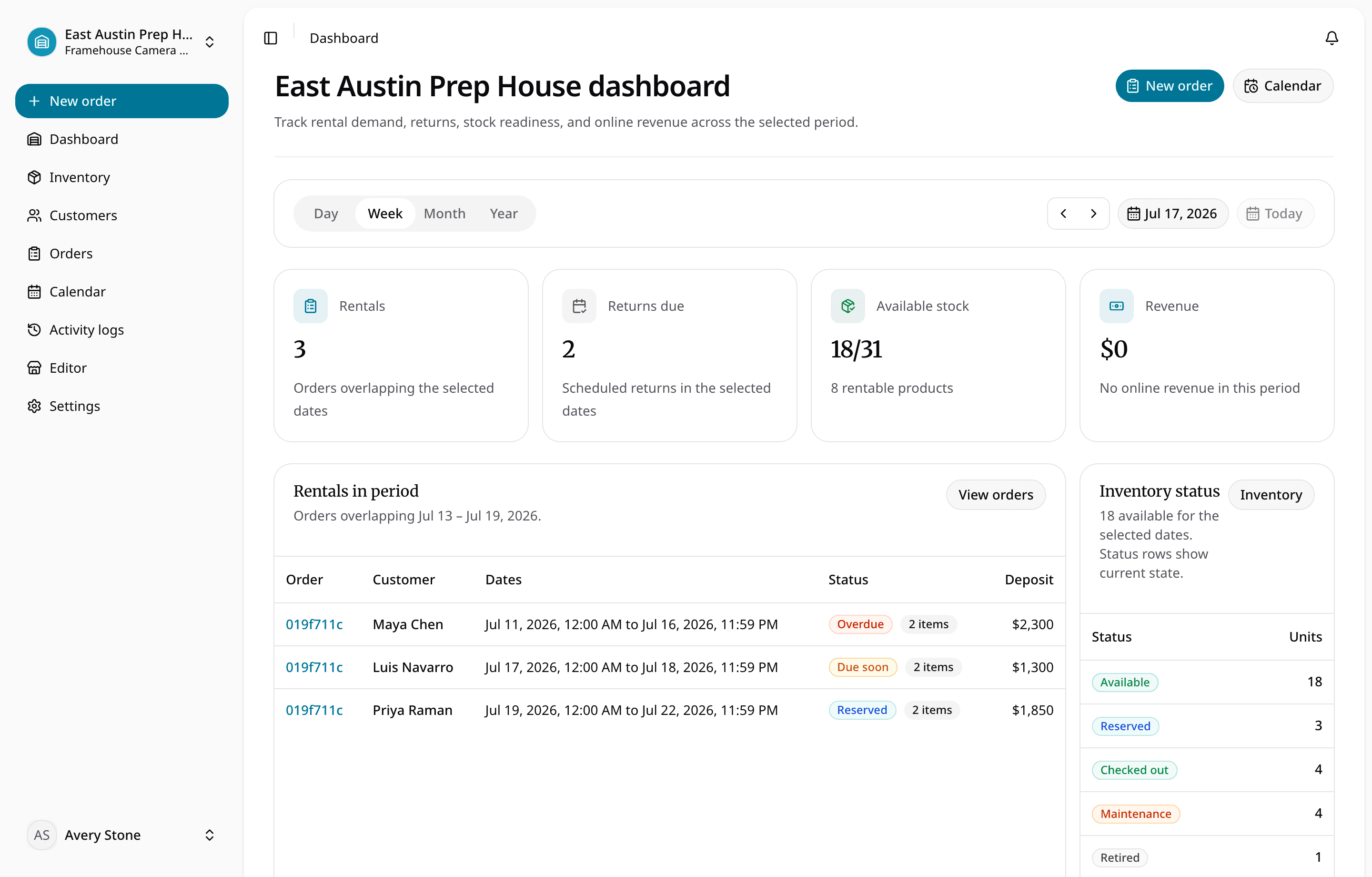
One connected rental workflow
A request becomes a reservation, a reservation becomes checkout, and a return updates what is ready next—without re-entering the same details across separate tools.
Check dates, reservations, active rentals, due-backs, status, and location before committing stock.
Track the product, variant, SKU, barcode, condition, and physical unit staff will hand over.
Move requested work through approval, reservation, checkout, return, inspection, or cancellation.
Keep returned, damaged, lost, maintenance, and ready status visible before inventory reopens.
See RentalBench in action
The same products, dates, customers, and physical units stay connected as work moves from request to return.
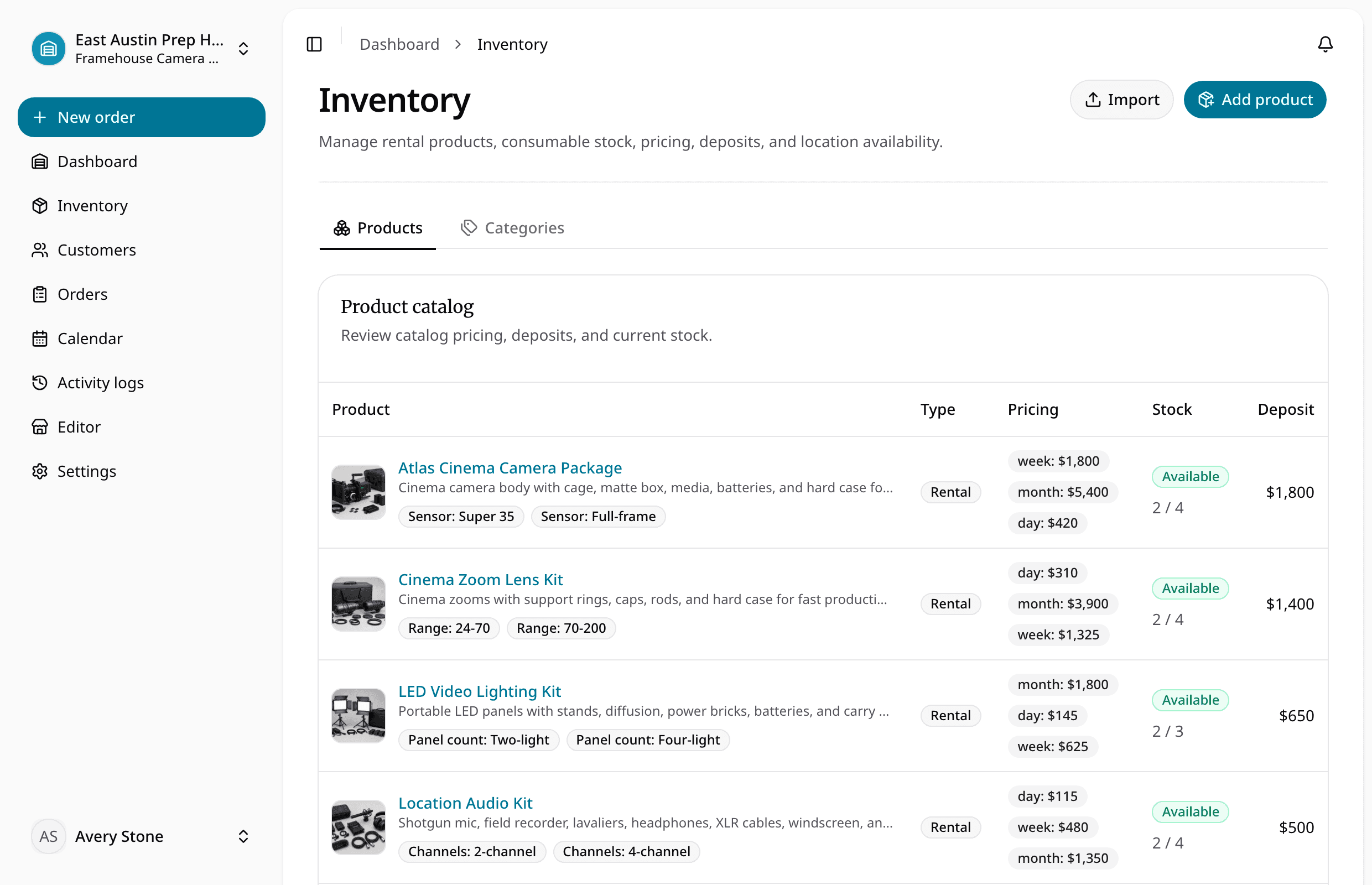
Manage rental and consumable products, variants, pricing, deposits, location stock, and exact physical units with SKUs, barcodes, status, and notes.
How it works
Each step updates the same rental record, so the next person can act without reconstructing what happened.
Capture dates, products, customer, pickup or delivery, and payment choice.
Check availability, due-backs, status, location, and order details.
Approve the work and commit only the inventory the team can fulfill.
Assign exact units, documents, condition, deposit, and handoff notes.
Inspect, resolve damage or maintenance, and reopen only ready stock.
Start with the operational problem
Choose the workflow the team needs now, then keep inventory, customers, dates, and handoffs connected as the operation grows.
Map and preview CSV or XLSX data before it becomes products, variants, pricing, deposits, physical items, and order-ready stock.
Plan the migrationConnect date ranges, reservations, active rentals, due-back timing, item status, and return inspection before staff approve the next request.
See conflict controlsKeep inventory, scheduling, orders, customers, deposits, checkout, and returns in one operating view.
See the platformManage products, variants, units, SKUs, barcodes, rates, deposits, location, and readiness.
Review inventoryReview requests, availability, reservations, due-backs, and conflicts before committing stock.
Check schedulingAssign exact units, record condition and documents, and keep the borrower and due date visible.
Trace the handoffPublish products, cart, checkout, customer accounts, domains, pickup or delivery, and payment choices.
Explore the storefrontKeep hours, addresses, windows, equipment loads, payment readiness, and status attached to the order.
Plan the handoffGenerate agreements, share secure links, collect signatures, and keep finalized PDFs with the order.
Review documentsKeep stock, staff, hours, customers, storefront availability, and handoffs grounded in the right location.
See location controlBuilt for how you rent
Plans and pricing
Start with inventory, orders, customers, documents, online payments, and a webstore. Add team access, domains, and multiple locations when the operation needs them.
For owner-operators setting up a complete rental desk and webstore.
Monthly billing
$300 billed yearly · Save $48 yearly
For rental teams that need invitations, staff roles, and a custom domain.
Monthly billing
$588 billed yearly · Save $120 yearly
For established teams coordinating inventory across multiple locations.
Monthly billing
$1,188 billed yearly · Save $240 yearly
Bring-your-own domains are included with Plus and Pro. Domain registration is charged separately. After the trial, Start monthly begins unless you choose another plan or cancel.
Operator resources
Start with import-ready fields for rental products, units, consumables, SKUs, rates, deposits, status, and stock.
Read guideReview the customer, equipment, dates, pricing, deposit, signature, and return expectations.
Read guideKeep inspection, maintenance status, notes, and rental readiness connected to the physical unit.
Read guideBuying questions
RentalBench is intentionally operational: more complete than a generic booking calendar and lighter than enterprise rental ERP.
Browse all 20 questionsSmall camera, tool, equipment, trailer, event, outdoor, school, club, nonprofit, and internal rental teams that need a shared operational record without enterprise overhead.
Spreadsheets, paper calendars, shared forms, disconnected inventory lists, and manual due-back tracking.
Yes. RentalBench supports customer-facing webstores with products and variants, carts, checkout, customer accounts, pickup or delivery, payment options, and custom domains.
New accounts start with a 14-day Plus trial so the team can set up inventory, customers, orders, scheduling, and storefront workflows before choosing a plan.
Company facts
Bring inventory, dates, customers, orders, checkout, and returns together in one practical workspace.
14-day Plus trial · Start monthly begins after the trial unless you change plans