
Rental availability calendar software
See availability by date, status, variant, and location
Use weekly and monthly calendars to review requests, reservations, active rentals, due-backs, overdue risk, and the inventory that supports each order.
Start free trial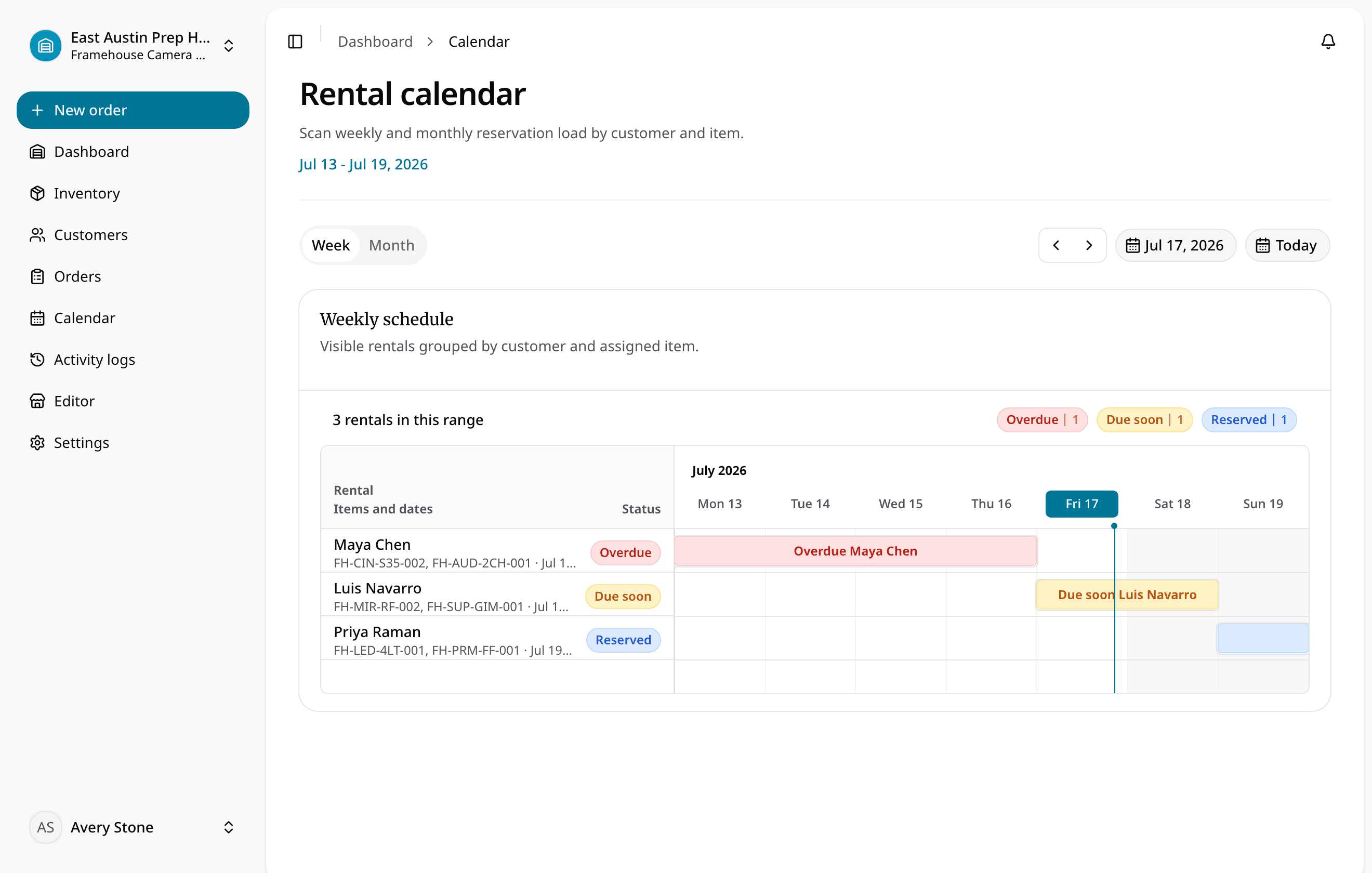
Quick answer
Reviewed July 11, 2026
Rental availability calendar software connects requested dates to reservations, active rentals, due-back timing, exact item status, and return readiness so staff can approve work with the full operational picture.
Keep the rental details with the item
The item record tells the whole story
Weekly and monthly schedule views
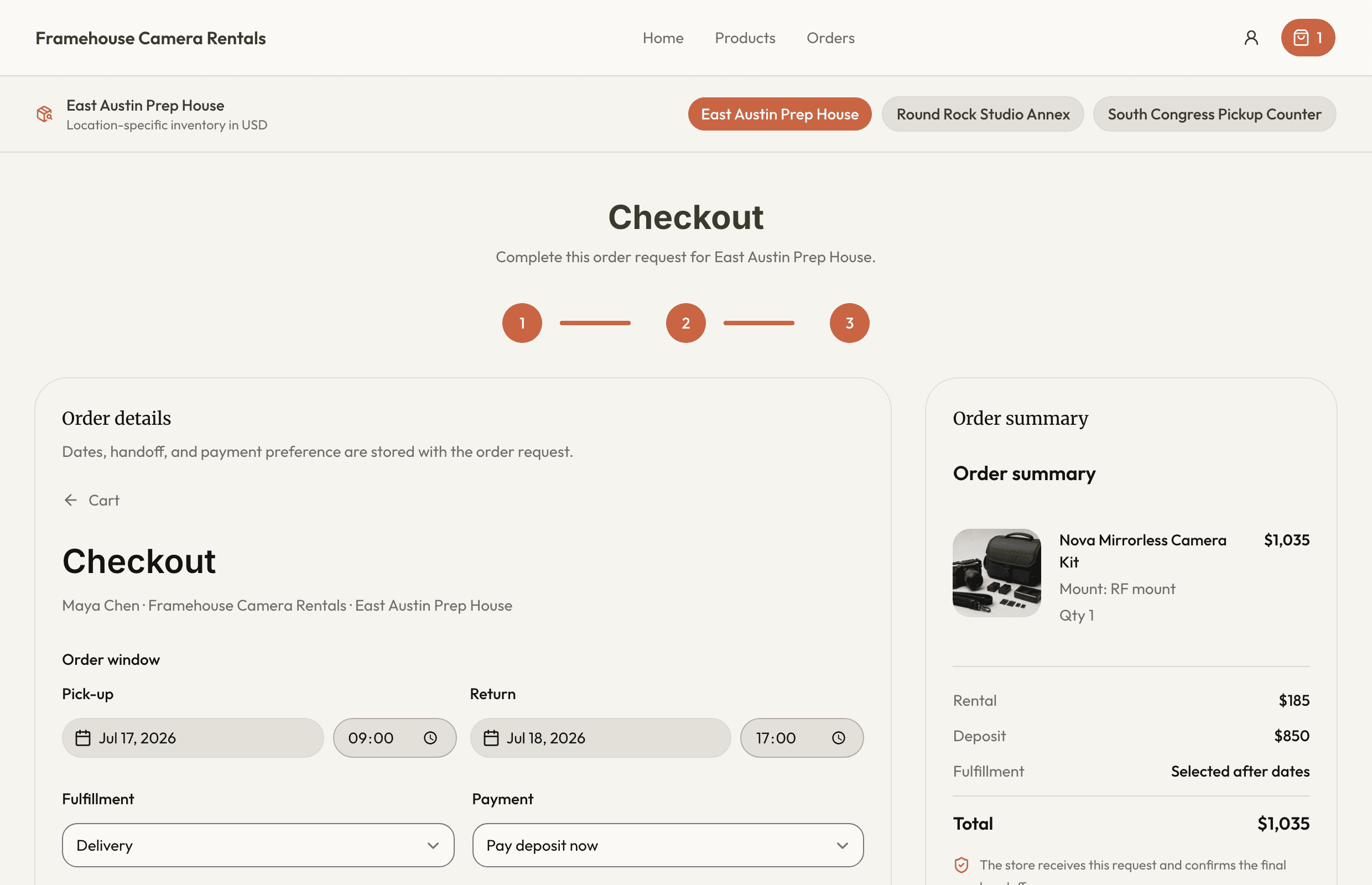
The next handoff has what it needs
Requested, approved, reserved, checked-out, overdue, returned, and cancelled orders
See how the rental moves
Set up the record
Enter or receive the requested date range.
Check what is available
Review current commitments, due-backs, location stock, and item status.
Complete the handoff
Approve and reserve only what is available.
Keep the rest of the rental in sync
- Product and item details
- Product, variant, quantity, exact unit, location, and status context
- Dates and availability
- Due-back and return-inspection visibility before the next reservation
- Orders update inventory
- Reservations, checkout, and returns all update the same item record.
- Online requests include the details staff need
- Customer, dates, deposit, pickup, and delivery details arrive together.
- Each location shows what it can rent
- Staff can see the location, hours, assigned items, and return status.
- Spreadsheets become usable records
- Map products, units, rates, deposits, and notes before importing them.
Ready for a more connected rental day?
Bring inventory, dates, customers, orders, checkout, and returns together in one practical workspace.
14-day Plus trial · Start monthly begins after the trial unless you change plans