
Order documents and signatures
Every order is provisioned with a pro forma invoice, rental agreement, delivery acceptance report, return inspection and deposit report, and tax invoice or receipt record.
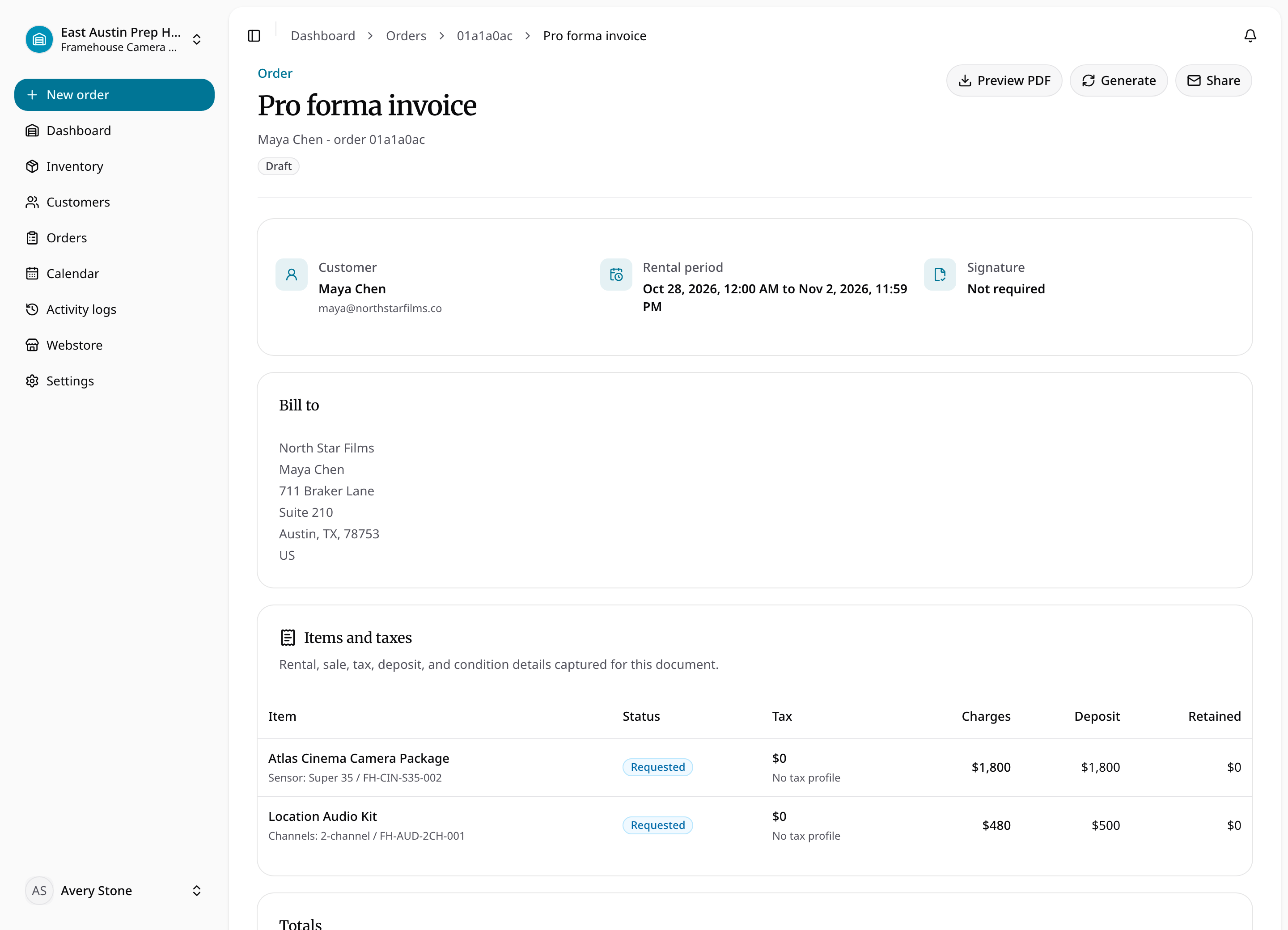
Staff and authorized customers can preview a document at any order state. Previewing is non-destructive: it does not attach a file, finalize content, or change the record. Final PDFs use an immutable issuance snapshot so later edits do not rewrite issued documents.
Rental agreements, delivery reports, and return reports can require a customer signature. Sharing creates a secure, tokenized public link for the named recipient. The public page records consent and signer metadata, then finalizes the signed PDF when required. Customer emails normally contain secure links instead of attachments.
Document access continues for archived orders. Secure-token viewers see only the shared document surface, not the staff app or full customer account.
Preview versus issued PDF
- Open the order and select the relevant document.
- Preview the current document to check details. If no issued file exists, opening its PDF view can render a preview without attaching or finalizing it.
- Explicitly generate the PDF when issuance is appropriate. A signable document can require signing before generation is allowed.
- For a rental agreement or acceptance report, follow the sharing and signature workflow, then review the finalized file.
- Reopen the issued PDF to verify its contents and state.
Draft, ready, shared, signed, finalized, and voided describe document state rather than order state. Customer billing identities and financial snapshots are captured in documents. Do not treat a newly previewed document as equivalent to an immutable issued PDF.
Read current PDF layouts
Current previews and newly generated PDFs use compact explanation and preview notices, full-width totals, and a separate footer area for page numbers and the document/checksum notice. A pending signature appears as a compact status note; a completed signature retains its signature panel.
These layout changes do not rewrite an existing stored PDF or its checksum. A historical issued file can therefore look different from a newly rendered preview while retaining its original issuance snapshot.