
A Practical Rental Checkout and Return Process for Small Operators
Use a practical rental checkout and return process to confirm items, due-back dates, deposits, condition, and maintenance before the next rental.
February 10, 2026 · 8 min read
Key takeaways
The practical answer
- Checkout should identify the customer, exact items, condition, dates, documents, and payment readiness.
- Returned and ready are different states.
- Inspection must resolve damage, loss, maintenance, and deposit decisions before inventory reopens.
A rental checkout and return process is the part of the business where the spreadsheet, calendar, customer record, deposit note, and actual item all have to agree.
That is why it causes so many problems for small rental operators.
The reservation may look correct. The customer may be standing at the counter. The item may be in the yard. But if the wrong SKU leaves, a charger is missing, the deposit status is unclear, or the due-back date is not updated, the next rental can become messy fast.
Returns create the same pressure in reverse.
An item can be back from the customer but not ready to rent. It may need cleaning, inspection, fuel, charging, a missing accessory, a damage note, or a maintenance hold. If your team treats "returned" and "available" as the same thing, the availability calendar starts lying.
This article gives small rental teams a practical checkout and return workflow. It is written for operators renting tools, compact equipment, trailers, kits, camera gear, event inventory, jobsite assets, or shared internal equipment.
The goal is simple: know what left, who has it, when it is due back, what came back, and whether it can safely go out again.
Start With the Rental Record
Checkout should not start from memory.
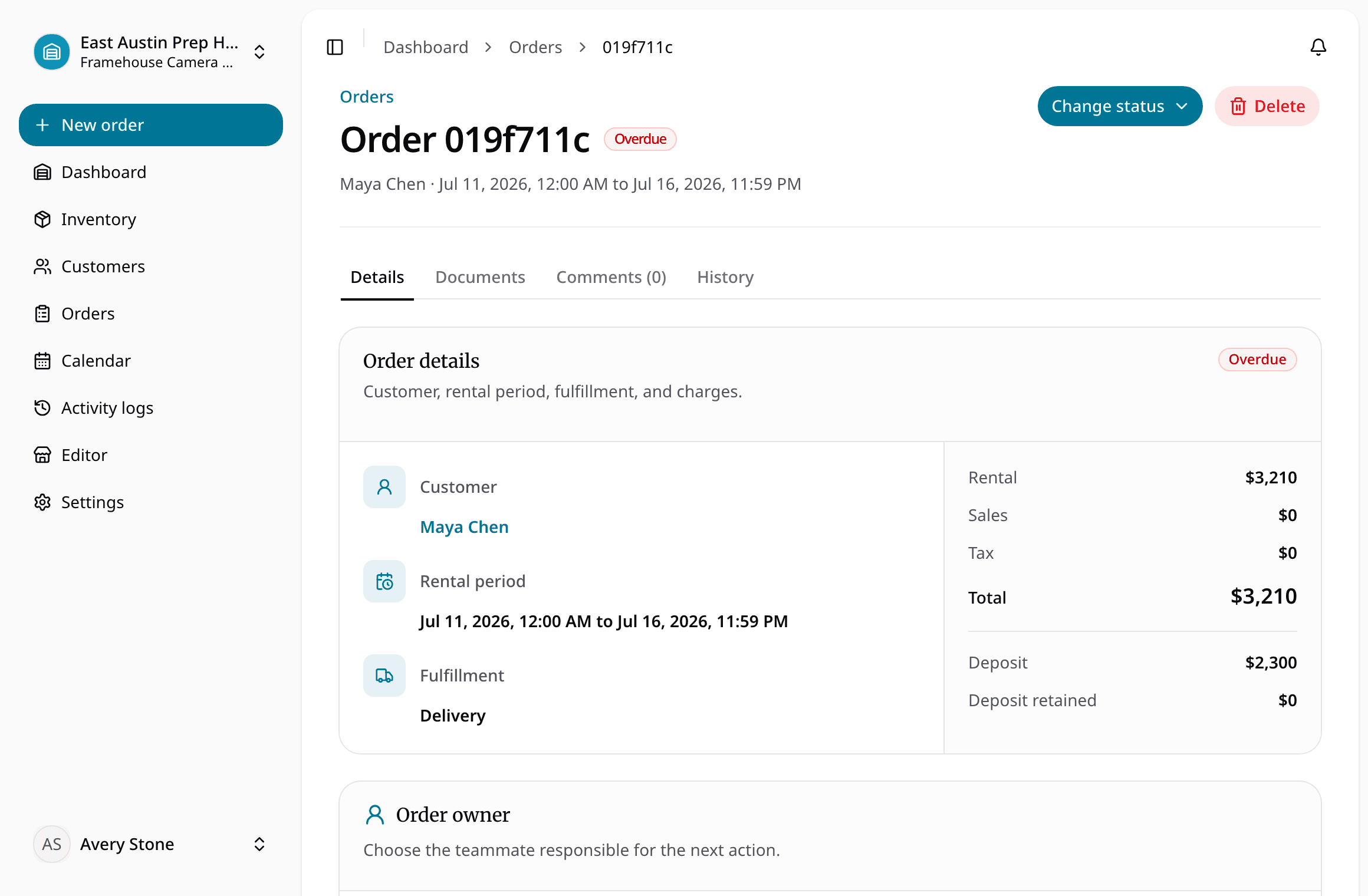
It should start from the rental record: the request, reservation, or order that already contains the customer, dates, item, location, deposit status, and notes.
If staff are rebuilding that information at the counter from texts, payment apps, paper forms, and spreadsheet tabs, the process is too loose.
Before checkout, the order should answer:
- Who is the customer?
- What item or SKU is going out?
- Which physical unit is assigned, if units are tracked individually?
- What accessories, attachments, or kit components are included?
- What is the checkout date and time?
- What is the due-back date and time?
- Is the rental pickup, delivery, or jobsite-based?
- Is a deposit required, collected, or still pending?
- Are there notes about condition, setup, fuel, charging, cleaning, or compatibility?
Teams still standardizing this handoff can use the free equipment checkout form template generator to start with a rental, school/AV, construction/jobsite, or internal-equipment preset and then edit every field.
This is where a connected orders and reservations workflow matters. The handoff from request to reservation to order should carry the same details forward. Staff should not have to retype the rental from scratch when the customer arrives.
If you are still defining the broader operating system for the business, the equipment rental software guide explains how inventory, availability, orders, checkout, returns, deposits, and maintenance fit together.
Build a Pre-Checkout Habit
A good checkout starts before the customer arrives.
For a small team, this does not need to be complicated. A daily review of today's pickups and deliveries is often enough.
Look at each upcoming order and confirm three things.
First, confirm the item is truly ready. Not just physically present. Ready. If it needs a blade, battery, charger, hose, hitch lock, ramp, memory card, fuel, or safety item, that detail should be handled before the customer is waiting.
Second, confirm the availability window. If the item came back late from another rental, do you still have enough time to inspect and prepare it? If the customer wants to return Monday morning and another customer picks up Monday at noon, is that realistic?
Third, confirm order requirements. Deposit, customer record, pickup contact, delivery address, jobsite address, notes, and any internal approval should be visible before checkout.
This is especially important for teams moving away from paper calendars. A paper calendar can tell you something is scheduled. It usually cannot tell you whether the unit is clean, the deposit is handled, and the accessory list is complete.
Checkout: Confirm What Actually Leaves
Checkout is the moment when a planned rental becomes an active rental.
Do not treat it as a small status change. Treat it as the operational checkpoint that confirms what actually leaves your shop, yard, warehouse, or storage room.
At checkout, staff should confirm:
- Customer name and contact
- Order or reservation number
- Rental dates and due-back time
- Exact item, SKU, asset tag, serial number, plate number, or unit ID
- Quantity, if the item is tracked by quantity
- Accessories, attachments, cases, chargers, batteries, hoses, cords, blades, straps, or other components
- Deposit status
- Pickup or delivery location
- Current condition notes
- Any special instructions the customer should know
The details vary by category: plate and hitch information for trailers; cases, batteries, chargers, hoses, or blades for tools and kits; unit IDs, attachments, fuel, hour meter readings, and delivery addresses for compact equipment.
The point is not to create paperwork for its own sake. The point is accountability.
Without a checkout step, the team may know that an order exists but not whether the item actually left. That creates bad availability answers, unclear deposits, and awkward return conversations.
A focused checkout and returns workflow should make this step fast enough that staff use it during real counter work, not only at the end of the day.

During the Rental, Watch Due-Back Dates
Once an item is checked out, the most important question changes.
It is no longer "Can we rent it?"
It is "Who has it, and when is it due back?"
Every active rental should make the due-back date visible. If a customer calls to extend, staff need to know whether that extension affects the next reservation. If an item is overdue, the team needs to see that before promising the same item again.
This is where an availability calendar should be tied to actual rental status. A calendar that does not know what is checked out, overdue, returned, or blocked for maintenance is only a planning board. It is not a reliable availability tool.
For small operators, due-back discipline matters most during tight turnaround windows:
- Friday pickups and Monday returns
- Weekend trailer rentals
- Morning returns with afternoon pickups
- Event kits due back before the next setup
- High-demand tools with back-to-back jobs
- Equipment that needs cleaning, charging, or inspection before reuse
If a return affects the next customer, the team should know early.
Return: Separate Back From Ready
The most common return mistake is marking an item available too soon.
An item can be back on the property and still not be ready to rent.
Maybe the customer returned the pressure washer without the hose. Maybe a trailer light is out. Maybe a compactor starts but needs inspection. Maybe a tent kit is missing stakes. Maybe a battery needs charging. Maybe the item is dirty enough that it cannot go straight to the next customer.
A practical return process separates these states:
- Out with customer
- Returned
- Needs inspection
- Needs cleaning
- Missing parts or accessories
- Damaged
- In maintenance
- Ready to rent
You may not need every status. A small shop can keep this simple. But the distinction between "returned" and "ready" should be clear.
At return, staff should confirm:
- Did the item come back on time?
- Did the correct item or unit come back?
- Did all accessories return?
- Is the item clean enough for the next rental?
- Is there visible damage?
- Does it start, power on, tow correctly, unfold correctly, or otherwise pass the basic check for that item type?
- Is fuel, charge, fluid level, hour meter, or usage reading relevant?
- Should the deposit be released, held, or reviewed?
- Should the item go back to available, inspection, cleaning, or maintenance?
If maintenance status affects availability in your operation, keep it close to the return workflow. RentalBench treats item statuses and maintenance as part of rental operations because a damaged or questionable item should not remain available just because it physically came back.
Keep Deposit Context With the Order
Deposits often become confusing because they are tracked outside the rental record.
One person notes a deposit in a payment app. Another writes it on paper. A third person adds a spreadsheet comment. At return, nobody is fully sure what was collected, what was promised, or what should happen next.
Even if payment processing happens elsewhere, the operational record should show deposit context.
At minimum, staff should be able to see:
- Whether a deposit is required
- Whether it was collected before checkout
- What the deposit relates to
- Whether return condition affects it
- Whether it still needs review after return
For trailers, tools, compact equipment, and kits with expensive accessories, this matters. Deposit conversations are easier when the order already shows the customer, item, checkout condition, return notes, and missing parts.
Use Item Tracking Where It Matters
Not every rental item needs heavy unit tracking.
If you rent a stack of identical folding chairs, quantity tracking may be enough. If you rent trailers, compact equipment, camera kits, serialized tools, generators, or high-value items, exact unit tracking usually matters.
The checkout process should match the risk.
For quantity-based inventory, confirm the count and any bundled parts.
For unit-based inventory, assign the exact SKU, asset tag, serial number, plate, or unit ID. That way the return process can update the right item record.
This is one reason rental inventory software is different from a normal product list. Rental inventory has history. The same physical item leaves, comes back, changes condition, may enter maintenance, and then becomes rentable again.
If the wrong unit is checked out or returned against the wrong record, maintenance history and availability become less trustworthy.
Common Process Gaps to Fix
Most checkout and return problems come from a few ordinary gaps.
The first gap is confusing reservation with checkout. A reservation means the item is promised. Checkout means it actually left.
The second gap is treating every return as available. A return should trigger inspection, not automatic availability.
The third gap is tracking accessories casually. Small missing parts create large customer problems when the next rental depends on them.
The fourth gap is separating deposits from orders. Staff need deposit context at pickup and return, not after a dispute starts.
The fifth gap is letting maintenance notes live outside availability. If a unit is down, the calendar and inventory view should know.
The sixth gap is updating the system too late. If checkout and return are recorded at the end of the day, your availability picture is always behind the real operation.
None of these gaps require a complex enterprise system to fix. They require a clear workflow and a shared place to record the details that affect the next rental.
A Simple Rental Checkout and Return Process
Here is a practical version a small operator can adopt.
- Review today's pickups, deliveries, and due-back items each morning.
- Confirm each outgoing order has customer, date, item, deposit, and location details.
- Stage items and accessories before pickup when possible.
- At checkout, confirm the exact item or quantity, condition, included parts, and due-back time.
- Mark the order checked out so the item is no longer treated as available.
- Monitor active rentals and extension requests against future reservations.
- At return, confirm the item, accessories, timing, condition, and deposit implications.
- Move the item to ready, inspection, cleaning, maintenance, or missing parts.
- Only return the item to available status when it is actually ready for the next rental.
- Keep return notes on the order and item record for future reference.
That process is intentionally plain. Small teams do not need more ceremony than they can use under pressure.
They do need consistency.
The Bottom Line
Checkout and return are where rental operations become real.
A clean catalog and a good reservation mean less if the wrong item leaves, a deposit is unclear, accessories are missed, or a damaged return goes straight back to available.
For small rental operators, the best process is practical: confirm what is going out, make due-back dates visible, inspect what comes back, separate returned from ready, and keep maintenance status tied to availability.
If your team rents equipment, tools, trailers, kits, or shared gear and the current process depends on memory, the next improvement is not more notes. It is a checkout and return workflow that reflects how rentals actually move through the business.
About Ciprian Redinciuc
Ciprian Redinciuc writes RentalBench product and rental operations guides based on the workflows implemented in RentalBench: inventory, availability, orders, storefront intake, deposits, checkout, and returns.