
Renting Business Software: Keep Every Rental Organized
Renting business software connects bookings, inventory, customers, and returns. See how RentalBench helps keep rentals organized from request to return.
October 29, 2026 · 8 min read
Key takeaways
The practical answer
- Connect each rental's customer, dates, assigned equipment, and current stage so staff can recover the same facts.
- Review pending requests, pickups, due returns, and damaged units before promising more inventory.
- Use a daily handoff checklist alongside RentalBench records to give unresolved rentals a clear next action.
Renting business software connects inventory, rental dates, customers, orders, checkout, and returns. It helps your team answer the questions behind every booking: what can we promise, who has the equipment, when should it come back, and what still needs attention?
For a small tool shop, equipment yard, trailer operator, or camera rental business, those answers often live in separate places. The calendar holds the dates. A spreadsheet lists the stock. A message thread contains the customer's changed pickup time. Connecting them becomes daily work.
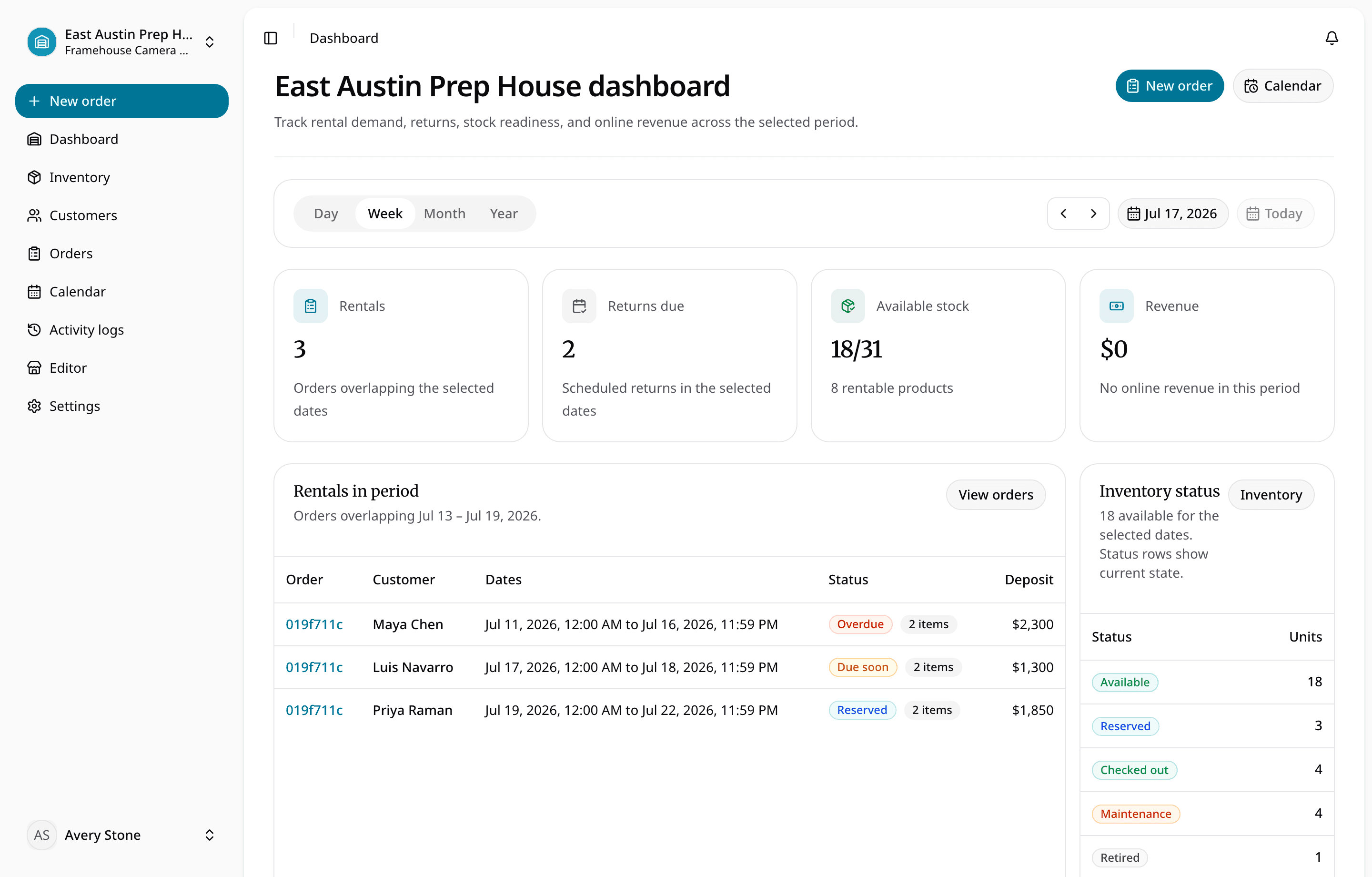
RentalBench brings those rental records into one workspace. This guide explains how that helps with everyday coordination, including the staff decisions that still matter. RentalBench publishes this article; the product views show a camera-rental demonstration workspace, not customer results.
In this guide
- Why rentals become difficult to keep organized
- Five daily problems renting business software should help solve
- Copy the daily rental handoff checklist
- Put shared rental records to work
- Frequently asked questions
Why rentals become difficult to keep organized
A rental is a temporary commitment, not a permanent sale. The same generator might be out today, due back tomorrow, and promised again on Friday. Its next booking depends on the previous customer returning it and staff checking its condition.
Now add a second employee, a changed rental window, and an item waiting for repair. A stock total cannot explain the whole situation. Neither can a calendar entry that says only “generator rental.” Someone must connect the customer, exact unit, dates, and readiness before giving the next customer an answer.
Spreadsheets can remain useful, including for shared editing: Microsoft documents co-authoring in Excel. The harder question is whether your process keeps bookings, equipment status, and handoffs consistent as they change. Software for renting businesses becomes useful when reconciling those records is taking attention away from serving customers.
Five daily problems renting business software should help solve
1. Two customers want equipment for the same dates
“We own three” does not necessarily mean “three are available.” One unit may already be committed, another may be under maintenance, and a customer's requested window may overlap an existing rental.
The staff action: Check eligible inventory for the full requested period before making a promise. Recheck when dates or quantities change. If there is a shortage, resolve the dates, quantity, variant, or stock before committing the order.
RentalBench connects availability to rental dates and existing commitments. Maintenance, lost, and retired units cannot satisfy new demand. Its availability and status rules help staff work from the same inventory picture rather than a separate calendar tally.
Preparation and inspection time still need an operating plan. Do not assume a note about cleaning creates an automatic buffer between rentals.
2. Nobody is sure whether a booking is confirmed
A customer submits a request, calls about a different date, and says they will check with their colleague. Another employee sees their name on a list and assumes the equipment is committed. An inquiry has become a promise without a clear decision.
The staff action: Review the customer, dates, equipment, and requirements, then record whether the business is accepting or rejecting the request. Use the order's actual stage when explaining the booking to a colleague.
In RentalBench, storefront orders start as requested. Requested orders do not block stock; approved, reserved, and checked-out orders do. Both approval and reservation commit inventory. The requests and reservations workflow makes that distinction explicit.
This helps staff distinguish interest from commitments. A request in the system still needs a decision; it is not evidence that inventory has been held.
3. Staff cannot quickly find who has an item or when it is due
Two matching trailers can have different customers and return times. Tracking only “one trailer out” makes the next phone call harder: which trailer, which order, and which customer should the employee contact?
The staff action: Connect the physical unit to the customer order and confirm the due-back time at pickup. Record checkout when the equipment leaves so the next employee sees the actual handoff.
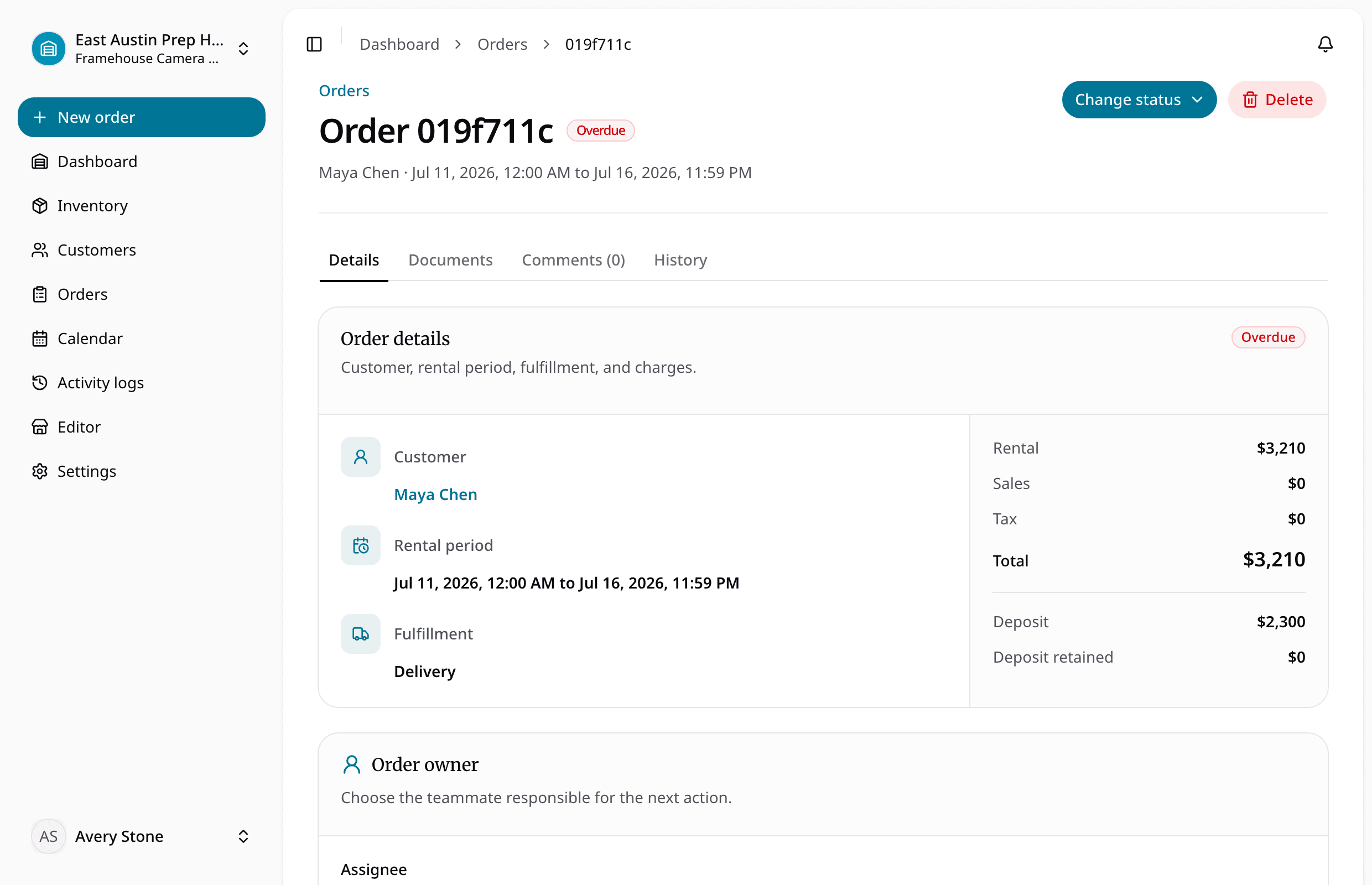
RentalBench allocates specific physical items to rental order lines. The order connects those units with the customer, rental window, location, and commercial details. Checkout changes the rental units to checked out.
Unique item identification is an established asset-tracking principle; GS1 explains individual asset identifiers. Your team can start with clear internal IDs. For the record fields and daily tracking procedure, use our five-step rental equipment tracking guide.
4. A late or damaged return disrupts the next rental
A due-back time is a plan. It does not prove the item has returned or is ready to leave again. Treating those events as interchangeable can turn one late customer or damaged unit into several difficult conversations.
The staff action: Review due and overdue rentals, contact the customer when needed, and check any affected future commitment. At return, inspect the equipment and record the outcome before treating it as ready.
RentalBench displays checked-out rentals past their end time as overdue. Dashboard return sections and the rental calendar support that review. Staff still owns the follow-up and any revised arrangement.
During return inspection, staff chooses returned, damaged, or lost for each rental unit. Returned units become available; damaged units move to maintenance; lost units move to lost. A damaged unit therefore stays out of new rental demand. Review future orders that depend on it and resolve those commitments separately.
5. Important details stay with one person
The owner knows that a repeat customer changed address. The counter employee remembers the pickup arrangement. The person preparing the equipment has yesterday's information. Each person has part of the rental, but nobody has a dependable handoff.
The staff action: Verify current customer details and save the relevant information on the appropriate customer or order record. Before handing work over, explain the unresolved decision and who will handle it.
RentalBench customer profiles connect order and document history. Orders preserve snapshots of details such as addresses and pricing, helping retain the context of an earlier rental. Current customer information and a past order's snapshot serve different purposes; check the new rental rather than assuming an old address is still correct.
Our customer history guide explains those records in more detail. Shared information helps the next colleague recover context without asking the customer to repeat the entire conversation.
Copy the daily rental handoff checklist
Use this manual review template alongside RentalBench records. It is a team routine, not an additional automated dashboard or reminder feature. Run through it before the counter gets busy and when responsibility changes hands.
| Rental needing attention | Record to check | Staff action | Handoff is complete when |
|---|---|---|---|
| Pending request | Customer, dates, eligible inventory | Resolve missing details; approve, reserve, or reject | The decision is recorded |
| Pickup due today | Assigned units, customer, payment requirements | Match the planned order to what leaves | Checkout reflects the handoff |
| Due or overdue return | Checked-out order and end time | Follow up; review affected commitments | Current facts and the next action are clear |
| Damaged return | Unit inspection and future orders | Record damage; resolve affected bookings | The unit is in maintenance and the next rental is addressed |
| Unresolved customer detail | Current profile and new order | Verify address, contact, or requirements | The new rental has the correct details |
Give each unresolved row a responsible person and a next action in your team's handoff notes. “Waiting” is not enough: say what is missing, who is checking it, and when the team should review it again. Keep the notes connected to the relevant order so they remain useful when another employee takes over.
Put shared rental records to work
The benefit comes from using the same records at the moment the work happens. Check availability before committing inventory. Record checkout at pickup. Inspect the return before considering the unit ready. These habits keep the next employee's starting point closer to what actually happened.
Try the routine with sample inventory and one customer order before moving active bookings. Ask a colleague to find the assigned unit, customer, due-back time, and next action using the records. If they need your private messages to finish, identify what information the handoff is missing.
For a broader comparison, read our equipment management software buyer's guide. To try renting business software with your own workflow, review RentalBench pricing and trial terms. The 14-day Plus trial requires a card. Start monthly billing begins afterward unless you choose another plan or cancel through billing.
Renting business software FAQ
What software does a renting business need?
A business renting physical goods needs a way to connect inventory, availability, customer details, rental dates, checkout, and returns. Rental operations software brings those jobs together. Choose based on the handoffs your team struggles with, then check any separate accounting, maintenance scheduling, or location-tracking requirements before committing.
Can renting business software help prevent overlapping bookings?
Yes, when availability checks use the requested dates, eligible units, and existing commitments. RentalBench commits inventory for approved, reserved, and checked-out orders; requested orders do not block stock. Staff should still verify changed dates, late returns, and readiness before promising equipment. Software supports those decisions without guaranteeing every handoff.
How can staff track late or damaged returns?
Review checked-out orders against their due-back times and follow up on exceptions. RentalBench shows overdue status and supports per-unit return inspection. Staff records returned, damaged, or lost; damaged units enter maintenance. Then check the next commitment and assign the follow-up needed to resolve the customer's rental.
When is a spreadsheet still enough?
A spreadsheet can work when one person manages a small inventory, overlapping rentals are uncommon, and updates remain dependable. Consider connected software when several staff members need current answers about bookings, custody, returns, and condition. The useful threshold is repeated coordination trouble, rather than a particular number of items.
About Ciprian Redinciuc
Ciprian Redinciuc writes RentalBench product and rental operations guides based on the workflows implemented in RentalBench: inventory, availability, orders, storefront intake, deposits, checkout, and returns.