
Event Rental Inventory Management: A Practical Guide
Improve event rental inventory management with a capacity example, an order checklist, and a practical workflow from reservation through return inspection.
October 24, 2026 · 9 min read
Key takeaways
The practical answer
- Check every component against the full operating window before promising an event package.
- Keep returnable rental units separate from consumables, and calculate availability for the requested dates and location.
- Use the order checklist to test reservations, handoffs, and return inspection before moving your working inventory.
Event rental inventory management connects what you own to what you can actually promise for an event. Record each product, variant, location, and condition; check every required component against overlapping bookings; and keep preparation, delivery, collection, and inspection in the operating plan. Update the records when equipment leaves and returns, before confirming its next use.
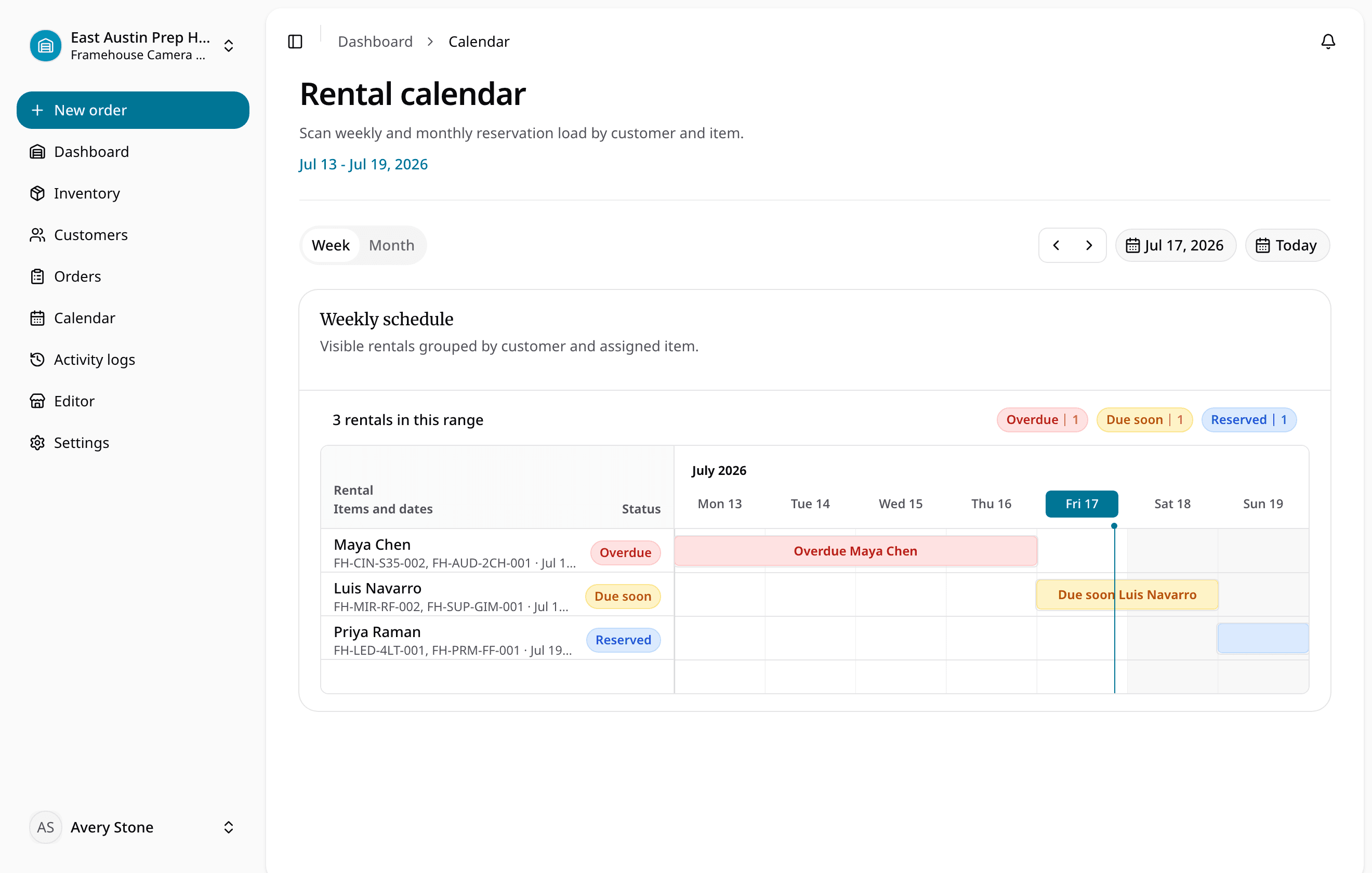
This guide is for small party, AV, furniture, and event rental teams whose stock list cannot reliably answer “Can we supply the whole order?” RentalBench publishes it to explain that workflow and help you evaluate our product. The worked example is fictional. The calendar above shows a camera-rental demo workspace, rather than the event inventory in the example.
In this guide
- Build a useful event inventory record
- Plan the full operating window
- Calculate availability for a complete order
- Use a repeatable request-to-return workflow
- Copy the event order checklist
- Test the workflow in RentalBench
- Frequently asked questions
Build a useful event inventory record
A catalog describes what customers can rent. An inventory record must also explain which stock is eligible, where it is, and what prevents it from going out. “Eight wireless microphones” is incomplete if one is damaged and three are already committed for the same weekend.
Use product names that staff can match to physical stock, then separate meaningful variants such as chair color, linen size, or speaker configuration. Give individually tracked units stable identifiers. GS1's guidance on individual asset identification illustrates the principle of identifying an asset uniquely; a small rental team can begin with clear internal IDs without adopting a global identifier system.
| Record | Question it should answer |
|---|---|
| Product and variant | Which exact offer or configuration did the customer request? |
| Unit ID or stock reference | Which equipment will staff pick and hand over? |
| Location | Is it at the branch fulfilling this event? |
| Condition and status | Is it rentable, out, damaged, missing, or under maintenance? |
| Date commitments | Which bookings affect the requested window? |
| Accessories and quantities | What must accompany the main item? |
| Return and next action | What came back, and what remains unresolved? |
Keep returnable equipment distinct from items sold or consumed. A microphone comes back; batteries supplied as a sale may not. The consumable and rental inventory guide explains why those lines need different stock and return behavior.
Plan the full operating window
The event's start and finish do not describe the whole inventory commitment. Equipment may be picked, loaded, and delivered earlier, then collected and inspected later. A Saturday celebration can affect stock across several working days.
Use a timeline such as this fictional operating plan, with all times in the same local time zone:
| Milestone | Example time |
|---|---|
| Pick, test, and load | Friday, 9 a.m. |
| Deliver to venue | Friday, 3 p.m. |
| Customer event | Saturday, 6–11 p.m. |
| Collect equipment | Sunday, 10 a.m. |
| Finish inspection and preparation | Monday, noon |
Do not promise the same stock elsewhere solely because the event ends on Saturday night. Check how your system represents rental custody and any extra preparation or recovery holds. Keep the agreed billing basis clear too: a commercial event price and an operational time window answer different questions.
Some systems have explicit buffer settings. For example, Booqable documents time before and after rentals for preparation, servicing, and spacing between bookings. That is an example of a product feature to verify, not a claim that every rental system applies the same rule. In RentalBench, test the selected rental dates and any additional hold you need; do not assume notes or an event date create an automatic buffer.
Event rental inventory management: a worked capacity example
Suppose a fictional AV operator owns 8 matching wireless microphone units at the location fulfilling the order. 1 unit is in maintenance, and 3 other units are reserved for overlapping dates. These groups are separate; no unit is deducted twice.
For this simplified example:
eligible microphones = 8 owned − 1 in maintenance − 3 committed = 4 units
A new event needs 5 microphones, so the order has a 1-unit shortage. The calculation assumes there are no other exclusions, commitments, or location differences. In practice, check the actual records rather than applying the formula to an unverified stock total.
Now check the rest of the request:
| Component | Requested | Eligible for the window | Decision |
|---|---|---|---|
| Wireless microphone units | 5 | 4 | Resolve the 1-unit shortage |
| Powered speakers | 2 | 2 | Check the selected units and accessories |
| Speaker stands | 2 | 2 | Include both in the handoff |
| Batteries sold with the rental | 12 | 20 | Fulfill as consumables, leaving 8 |
Having the speakers does not make the package complete. Agree a different configuration, dates, or a confirmed sourcing arrangement before promising all five microphones. Record the decision on the order so the next colleague does not inherit an unexplained shortfall.
Treat a package as a component list during this check. Goodshuffle's event inventory guide discusses organizing related inventory into event packages. Native bundle definitions and automatic component allocation vary by system, so verify those capabilities separately rather than assuming that naming a package enforces its contents.
Use a repeatable request-to-return workflow
Review the request before committing stock
Confirm quantities, variants, dates, venue, billing contact, delivery or pickup details, and the complete accessory list. Resolve missing information before staff gives a firm promise. Keep an inquiry distinguishable from an inventory commitment.
RentalBench's documented availability rules exclude overlapping inventory-blocking orders and ineligible units. Requested orders do not block stock; reserved, approved, and checked-out orders do. Review the availability and status documentation when testing those transitions, including what happens after damage or loss.
Confirm the order and prepare the handoff
Check the complete component list again when dates or quantities change. Identify the units staff should load and include accessory counts in the handoff record. Reconcile the planned order with what physically leaves, rather than treating a printed list as proof that everything was loaded.
Keep venue information usable: delivery address, contact, agreed access time, and relevant instructions. Assign someone to resolve discrepancies before departure. A changed request should produce an updated operational record that the warehouse and delivery team can both recover.
Inspect returns before promising the next event
Reconcile returned quantities and exact units with the handoff. Separate equipment that is ready from damaged, missing, or still-unchecked stock. Give unresolved items an owner and next action, then review any future booking that depends on them.
In RentalBench, return inspection records returned, damaged, or lost dispositions. Returned units become available, damaged units move to maintenance, and lost units move to lost. Consumables fulfilled at checkout do not enter return inspection; see the return inspection workflow.
Copy the event order checklist
Use this as a manual review sheet or as acceptance criteria for your software. Replace the example quantities with the actual order. Keep the checklist linked to the rental record so edits remain traceable.
| Check | Evidence to record before completion |
|---|---|
| Complete request | Customer, venue, dates, quantities, variants, and accessories |
| Inventory eligibility | Correct location, eligible stock, overlapping commitments, exclusions |
| Time plan | Preparation, custody, delivery, collection, and recovery arrangements |
| Commercial agreement | Confirmed charges, payment/deposit requirements, and documents |
| Load-out | Selected units, accessory counts, condition, and staff confirmation |
| Venue handoff | Contact, agreed access window, exceptions, and responsible person |
| Return inspection | Returned, damaged, missing, and consumable outcomes |
| Next booking | Unresolved holds and affected commitments reviewed |
The checklist supports accountability; it does not replace equipment instructions, training, or event-specific safety planning. Use the relevant manufacturer and venue requirements for those decisions.
Test the workflow in RentalBench
Create a small sample catalog and one sample event order. Add rental products with physical units and a consumable with quantity stock. RentalBench's order creation documentation explains selecting the customer, rental dates, addresses, and product rows; rental quantities allocate eligible physical items, while consumables use stock quantities.
Test an overlapping request, resolve a shortage, then follow the confirmed rental through checkout and inspection. Mark one returned unit damaged and check whether it remains excluded from new demand. Ask a colleague to recover the selected equipment, venue details, and unresolved action from the records.
For event rental inventory management, that is a stronger trial than importing the whole catalog immediately. RentalBench's documented rental model allocates physical units; assess that fit before migrating large quantities of interchangeable chairs or cutlery. If native bundles, bulk returnables, automated buffers, or route optimization are essential, evaluate those requirements explicitly.
Review RentalBench pricing and trial terms before starting. The 14-day Plus trial requires a card. Start monthly billing begins afterward unless you choose another plan or cancel through billing. Use sample data to establish whether the workflow fits the way your team actually fulfills events.
Event rental inventory management FAQ
What should an event rental inventory list include?
Include products, meaningful variants, unit or stock references, location, condition, current status, date commitments, and required accessories. Connect those records to the customer order and venue details. Keep consumables separate from returnable inventory so staff knows what must come back and what is deducted when fulfilled.
How do you calculate available event rental inventory?
Start with eligible stock at the fulfilling location, then account for overlapping commitments and units excluded by condition or status. Avoid deducting the same unit twice. Check the whole requested operating window and every component of the order; a positive total for one product does not establish package availability.
Can a spreadsheet manage event rental inventory?
A spreadsheet can work when one person can keep stock, commitments, and handoffs synchronized. Use stable references and explicit dates, quantities, and statuses. Reconsider the setup when several staff change orders, accessories are missed, or availability depends on reconciling separate calendars, messages, and return notes before confirming each event.
Does the event end time mean equipment is available again?
No. Collection, transport, inspection, cleaning, charging, or repair may still be outstanding. Plan those steps and verify how your software blocks stock during them. Only promise the next rental when the equipment can actually be ready; a scheduled event finish does not establish physical return or inspected condition.
About Ciprian Redinciuc
Ciprian Redinciuc writes RentalBench product and rental operations guides based on the workflows implemented in RentalBench: inventory, availability, orders, storefront intake, deposits, checkout, and returns.