
Rental Deposit Tracking: What to Capture Before Gear Leaves
Learn what rental deposit tracking should capture before checkout, during the rental, and at return so deposits stay tied to orders.
June 11, 2026 · 8 min read
Key takeaways
The practical answer
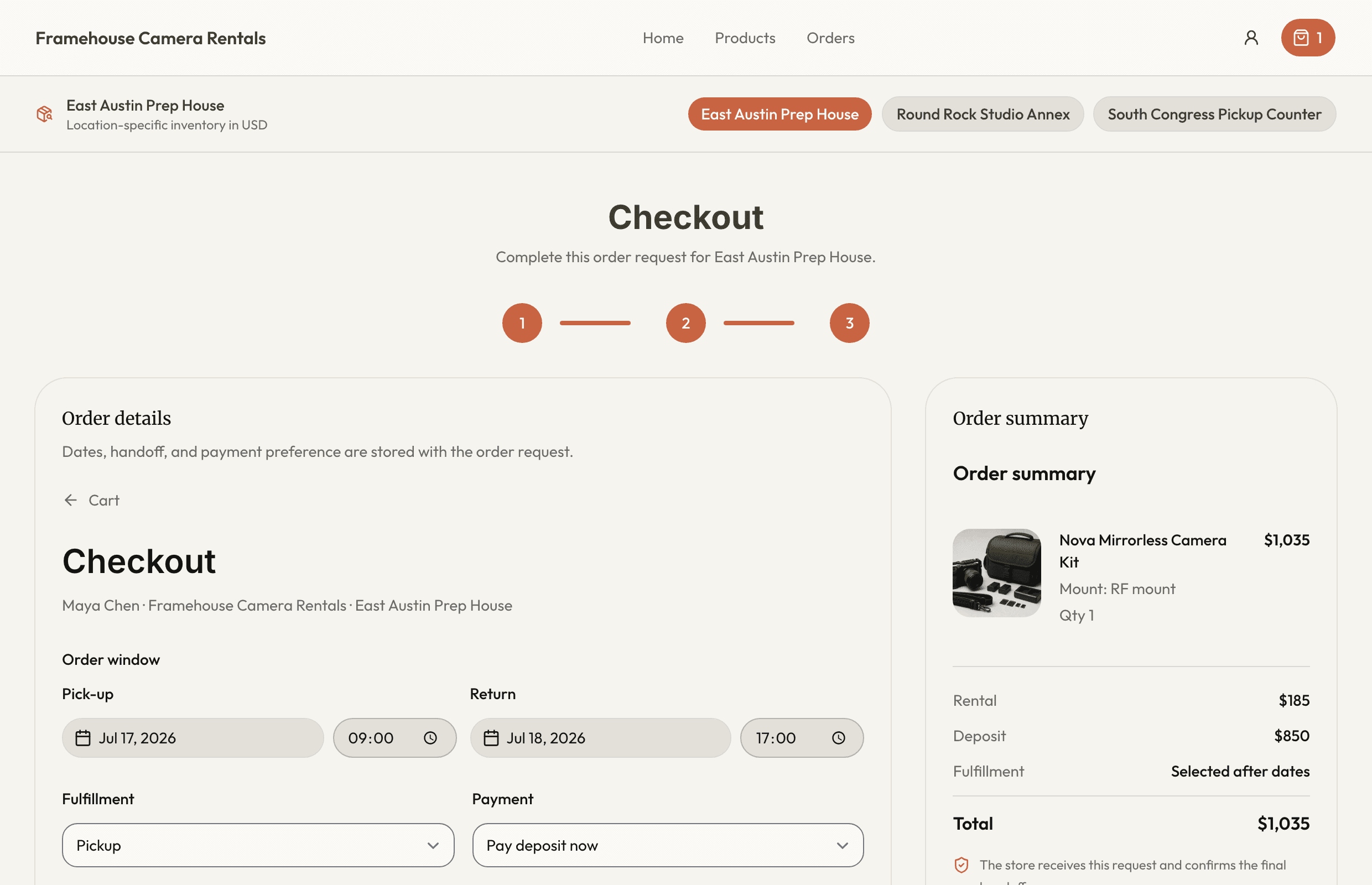
- Store the agreed deposit on the order so later catalog changes do not rewrite history.
- Payment status belongs with the equipment handoff, not in a separate note.
- Refund or retention should follow a documented return inspection.
Rental deposit tracking is not just a payment note.
For a rental business, the deposit sits in the middle of the operation. It affects checkout readiness, return expectations, damage handling, and whether the team can close the rental cleanly.
A trailer may come back late. A pressure washer may return without a hose. A camera kit may be missing a charger. A compact tool may come back dirty, damaged, or not ready for the next reservation.
If the deposit record lives in a sticky note, a payment app, a text thread, or one staff member's memory, the return desk starts guessing.
Good rental deposit tracking keeps the deposit connected to the customer, the order, the items, the checkout condition, the return inspection, and the final resolution.
This guide walks through what to capture before gear leaves, what to keep visible while the rental is active, and how to close the loop when the item comes back.
What Rental Deposit Tracking Actually Means
Deposit tracking is the process of recording whether a deposit is required, collected, held, released, refunded, applied, or retained for a specific rental order.
The important phrase is "specific rental order."
A deposit should not float around as a loose customer note. It should be tied to the exact rental that created the risk.
That means your team should be able to answer basic questions without searching multiple places:
- Which customer left the deposit?
- Which order is it attached to?
- Which item or kit went out?
- What was the deposit amount?
- When was it collected?
- What method or reference was used?
- What condition was recorded at checkout?
- Was anything late, damaged, dirty, or missing at return?
- What happened to the deposit after return?
- Who made the final decision?
Those answers do not need to be complicated. But they do need to be visible.
This is why rental deposits belong near orders and reservations, not in a separate file that staff remember to check only after something goes wrong.
Why Deposit Notes Get Messy
Most small rental teams start with a simple process.
The customer pays a deposit. Someone writes it down. The item goes out. When it comes back, the team returns the deposit if everything looks fine.
That can work when the owner handles every rental.
It gets weaker as soon as the business has more items, more staff, more pickup windows, or more repeat customers.
Common failure points look like this:
- A deposit is collected in the payment app but never marked on the order.
- A staff member waives a deposit for a known customer, but nobody records why.
- A trailer comes back with damage, but the deposit note is in a notebook at the counter.
- A kit is missing a small accessory, but the return record does not show what was included at checkout.
- A customer extends the rental, but the deposit still reflects the original dates.
- A deposit is refunded before maintenance confirms the item is ready.
None of these problems require a large business. They require a gap between the rental record and the deposit record.
The fix is straightforward: make deposit status part of the rental workflow.
Capture the Deposit Requirement Before Confirmation
Deposit tracking should start before checkout.
Ideally, it starts when the request becomes a reservation. At that point, your team already knows the item, date range, customer, and basic risk profile.
For example, a floor sander rental may require a different deposit than a folding table order. A trailer rental may depend on the customer record, rental length, or accessory set. A production kit may need deposit notes because small parts are expensive and easy to miss.
Before confirming the reservation, capture:
- Whether a deposit is required
- The deposit amount
- The reason or rule behind the amount
- Whether the deposit is standard, adjusted, or waived
- Any approval note if staff make an exception
- When the deposit must be collected
This gives the team a clear pickup target.
If the order says "deposit required, not collected," the item is not ready to leave. If it says "deposit waived by owner for monthly customer," the next staff member does not need to guess.
The point is not rigidity. It is traceability.
Attach Deposits to the Customer and the Item
A useful deposit record needs context.
The customer matters because repeat customers may have history. Some may return gear clean and on time. Others may need firmer checkout notes. Some rental businesses also use customer records to store addresses, jobsites, company names, billing details, or special requirements.
The item matters because deposit risk is not the same across inventory.
A ladder, dump trailer, camera body, stump grinder, speaker kit, and drain snake do not create the same operational concern. Some items are high-value. Some have accessories. Some are more likely to come back dirty. Some are easy to inspect. Some need maintenance review before the deposit can be resolved.
That is why deposit tracking works best when it sits alongside rental inventory software, customer records, and item status.
At minimum, connect the deposit to:
- Customer name and contact information
- Order number or rental record
- Product, SKU, or kit name
- Specific physical item ID when relevant
- Rental start and due-back date
- Pickup or delivery location
- Staff member handling checkout
This matters later.
If a customer asks why part of a deposit was retained, your team should be able to review the order instead of reconstructing the rental from memory.
Record Checkout Condition Before Gear Leaves
A deposit is hard to resolve fairly if checkout condition was never captured.
At checkout, the team should confirm what is leaving and what condition it is in. This does not need to become a long inspection ritual for every low-risk item, but high-value gear and kits deserve a clear handoff.
Useful checkout details include:
- Exact physical item or unit number
- Accessories included
- Fuel, battery, blade, cable, hose, ramp, case, or attachment notes
- Existing scratches, dents, wear, or known issues
- Photos where they help
- Customer instructions given
- Expected return date and time
- Deposit status at handoff
This is also where the rental order should move from reserved to checked out.
The checkout and returns workflow matters because the deposit is not separate from the handoff. If staff know the item went out with two batteries and a charger, return inspection is simpler. If the order only says "camera kit," every missing-part conversation becomes harder.

Use Simple Deposit Statuses
Deposit tracking gets easier when the team uses the same status language every time.
You do not need twenty statuses. A short list is better.
For most small rental teams, these are enough:
- Not required
- Required, not collected
- Collected
- Waived
- Pending return inspection
- Released or refunded
- Applied to balance
- Partially retained
- Retained
- Disputed
The exact labels can change, but the workflow should be clear.
Before checkout, the key question is whether the required deposit has been handled.
During the rental, the key question is whether anything changed that affects the deposit.
After return, the key question is whether the deposit has been resolved.
RentalBench treats deposits and payments as part of the rental record for this reason. For rental teams, deposit status affects operations, not only bookkeeping.
Keep Deposit Status Visible During the Rental
Deposits do not matter only at pickup and return.
They can matter while the rental is active.
A customer may extend the rental. A staff member may swap an item because the original unit has a problem. A partial return may come back while accessories remain out. A delivery order may change location. A late return may affect the next reservation.
When those things happen, the deposit record should not stay frozen.
For active rentals, staff should be able to see:
- The due-back date
- Whether the item is late
- Whether the customer requested an extension
- Whether the extension was approved
- Whether added items changed the deposit requirement
- Whether a swap happened
- Whether any incident note has been added
This connects deposit tracking to availability.
If an item is late or damaged, it may affect the availability calendar. If the next customer is waiting, your team needs the full order context quickly. Deposit notes, late status, item status, and future reservations should not live in separate places.
Resolve Deposits After Inspection, Not Just Return
The item being back on the property does not always mean the rental is complete.
Returns need inspection.
That inspection might be quick. A folding chair count may take seconds. A trailer may need lights, tires, ramps, straps, locks, and floor condition checked. A pressure washer may need hose, wand, nozzle, fuel, and obvious damage reviewed. A camera kit may need every small component verified.
Resolve the deposit after the return condition is known.
A practical return flow looks like this:
- Open the active order.
- Confirm the customer or order number.
- Mark the item returned.
- Check accessories and included parts.
- Record damage, dirt, missing items, or late return.
- Decide whether the item is available, unavailable, or in maintenance.
- Resolve the deposit according to your policy.
- Record who made the decision.
- Close the order when no follow-up remains.
The most important habit is not automatically marking the item available or the deposit resolved the moment it comes back.
Some returns need cleaning. Some need service. Some need a missing part replaced. Some need a customer follow-up. Until that is clear, "pending return inspection" is often a better status than "closed."
Example: Utility Trailer Deposit Tracking
Here is a simple trailer example.
A customer reserves a 6x12 utility trailer from Friday afternoon to Monday morning. The order shows the customer name, phone number, pickup time, due-back time, and the specific trailer ID.
Before pickup, staff mark the deposit as required and set the amount.
At checkout, staff confirm:
- Trailer ID
- Hitch size
- Light check
- Tire condition
- Ramps included
- Safety chains
- Existing dents or marks
- Deposit collected
- Due-back time
On return, staff inspect the trailer before resolving the deposit.
If the trailer is clean, on time, and complete, the deposit can be released or refunded according to the business policy. If a ramp is missing or a light is damaged, the order should show the issue, the decision, and the final deposit status.
That record protects the next staff member.
It also protects the next customer, because the trailer should not appear ready until the return issue is handled.
What to Track in a Spreadsheet if You Are Not Ready for Software
If you are still using spreadsheets, keep the deposit table tied to orders. Do not create a deposit list that cannot be traced back to a rental.
Useful columns include:
- Order ID
- Customer name
- Item or SKU
- Physical item ID
- Rental start date
- Due-back date
- Deposit required
- Deposit amount
- Deposit status
- Payment or reference note
- Checkout condition note
- Return condition note
- Final resolution
- Staff initials
- Date resolved
This will not give you automatic availability or checkout workflow, but it can reduce confusion if the team uses it consistently. The weakness is discipline: spreadsheets do not naturally connect requests, reservations, checkout, return, maintenance, and deposits. That is why many operators eventually move toward equipment reservation software.
A Cleaner Deposit Workflow
A clean rental deposit workflow is consistent.
Before gear leaves, capture the requirement, amount, customer, order, item, due-back date, condition, accessories, and staff handoff. While the rental is active, keep deposit status visible next to due-back dates, extensions, swaps, late returns, and item status. At return, inspect first. Then release, refund, apply, retain, or escalate the deposit according to your policy.
The operational rule is simple: the deposit stays attached to the rental until the rental is truly closed.
When deposits live with orders, checkout, returns, and inventory status, the team spends less time reconstructing what happened. Customers get clearer answers, and staff have a cleaner record when something comes back late, damaged, dirty, or incomplete.
About Ciprian Redinciuc
Ciprian Redinciuc writes RentalBench product and rental operations guides based on the workflows implemented in RentalBench: inventory, availability, orders, storefront intake, deposits, checkout, and returns.