
How to Start and Run a Rental Business That Stays Organized
A practical guide to choosing a rental niche, validating demand, pricing inventory, setting policies, and running request-to-return operations.
May 29, 2026 · 14 min read
Key takeaways
The practical answer
- Start with a narrow customer problem and a fleet that can earn repeatedly.
- Define pricing, deposits, documents, availability, checkout, return, and maintenance before demand grows.
- Move beyond spreadsheets when the team can no longer trust availability and handoff history.
Starting a rental business is straightforward in outline: buy useful inventory, find customers, rent it, get it back, and repeat. The difficult part is building a process that makes those steps dependable.
The business must know what it owns, what can be promised, who has each item, when it should return, what the customer agreed to, whether payment is ready, and whether the returned inventory can safely go out again.
This guide gives you an operating sequence. It does not replace legal, tax, insurance, financial, or safety advice. Use qualified professionals for those decisions and adapt every policy to your market and inventory.
1. Choose a narrow rental problem
Start with a customer and a repeated job, not a large catalog.
Examples include contractors needing occasional compact tools, production crews needing camera packages, homeowners needing trailers, schools lending media equipment, or event teams needing short-term furniture and AV.
A useful niche usually has several of these traits:
- The item is expensive, bulky, seasonal, or used infrequently.
- Customers need it for a defined window.
- Local ownership is inconvenient.
- A dependable handoff is worth paying for.
- The item can earn through repeated rentals.
- Maintenance, storage, and transport are manageable for your team.
Compare ideas using the small rental business ideas guide, then interview potential customers before buying a fleet.
2. Validate demand with real conversations
Ask prospects what they rent now, which products are hard to find, how far they travel, what accessories they need, what timing matters, and what usually goes wrong.
Look for repeated evidence:
- The same request from several customers
- Existing rental options that are distant, unreliable, or poorly matched
- Customers buying an item they would prefer not to own
- Urgent or seasonal demand with clear date windows
- Adjacent products that naturally form one order
Do not treat compliments as demand. A useful validation step ends with a concrete request, deposit, reservation, pilot, or clear price conversation.
3. Model one unit before buying many
For each product, estimate:
- Purchase price and setup cost
- Accessories, storage, delivery, and cleaning cost
- Maintenance and inspection time
- Insurance, payment, tax, and administrative cost
- Expected rental rate and paid days per month
- Damage, loss, downtime, and late-return exposure
- Useful life and resale value
The rate must cover more than the purchase price. It also pays for the time and risk required to keep the unit ready.
Use daily, weekly, monthly, or project pricing only where customers understand the difference. Keep the billing unit explicit. If a deposit is required, decide how the amount is set, when it is collected, and how return inspection affects refund or retention.
4. Build the inventory model
Separate three concepts:
- Product: what the customer requests, such as a cinema camera package.
- Variant: the option that changes selection or preparation, such as sensor format or mount.
- Physical item or quantity: the exact unit or consumable stock staff fulfills.
Serialized rental units need a stable SKU and may also use a QR or barcode. Record location, condition, status, and notes on the exact unit.
Consumables need a variant SKU plus quantity-on-hand, held quantity, and available quantity by location. Do not force quantity stock into the same mental model as one serialized trailer or camera.
If you begin in a spreadsheet, use explicit columns and follow the inventory spreadsheet guide.
5. Define availability before accepting orders
“Available” should mean more than “the company owns one.”
Check:
- Requested start and end dates
- Product, variant, quantity, and exact unit
- Location
- Existing requests, approvals, and reservations
- Checked-out and overdue rentals
- Due-back timing and turnaround buffer
- Maintenance, damage, loss, retirement, and inspection status
A rental availability calendar is useful only when it reflects those records. Keep customer storefront requests uncommitted until staff verifies the complete order.
6. Separate request, approval, and reservation
A request expresses demand. Approval means the team accepts the work. Reservation commits inventory. Checkout records the handoff.
Keep the stages connected but distinct:
| Stage | Operational meaning |
|---|---|
| Requested | Customer or staff has proposed dates and items |
| Approved | Team has accepted the commercial and operational details |
| Reserved | Inventory is committed to the order |
| Checked out | Exact units or quantities have left custody |
| Returned | Inventory has come back but may still need inspection |
| Inspected | The team has decided what is ready and what needs action |
| Cancelled or rejected | Work will not proceed and inventory should be released |
This distinction protects availability and gives staff a clear next action.
7. Keep the customer and handoff complete
Each order should carry the details required to fulfill it:
- Customer and contact
- Billing, delivery, company, or jobsite address
- Rental dates
- Products, variants, quantities, and assigned items
- Pricing and tax
- Deposit requirement and payment status
- Pickup or delivery
- Order notes and assignee
- Required documents and signatures
For repeat customers, save reusable profile information while preserving order-specific snapshots. If a customer later changes an address, the historical order should still show where that rental went.
8. Use documents that follow the order
Rental agreements, delivery acceptance, return inspection, invoices, and receipts should be generated from the order they describe.
A practical document process records:
- Document type and version
- Customer and order relationship
- Issue and share timestamps
- Secure customer access
- Required signature and consent
- Finalized PDF
Use the rental agreement checklist to organize the content, then keep the signed document with the order history.
9. Make checkout deliberate
Before equipment leaves, confirm:
- The correct customer and dates
- Exact units or quantities
- Condition and included accessories
- Documents and signatures
- Deposit and payment readiness
- Pickup, delivery, contact, and address
- Due-back expectation
Checkout should change item and order status immediately. Otherwise the calendar and counter begin working from different truths.
10. Treat return and inspection as separate decisions
Returned does not automatically mean ready.
Compare the returned inventory with the checkout record. Check condition, completeness, quantity, cleaning, fuel or charge, damage, loss, and service needs. Then decide whether each unit is available, under maintenance, damaged, lost, retired, or awaiting another action.
Tie deposit refund or retention to this recorded inspection rather than a loose conversation. The checkout and return guide provides a detailed sequence.
11. Publish online intake without losing control
A rental storefront can reduce phone tag when it captures structured information:
- Product and variant
- Location and dates
- Cart quantities
- Customer account and contact
- Pickup or delivery
- Address
- Pay-on-pickup, deposit, or full-payment choice where supported
The site should create an operational order, not an email that staff must retype. The team should still review availability and approve the request before reserving inventory. See the equipment rental website builder guide for the full model.
12. Decide when spreadsheets have reached their limit
A spreadsheet can be appropriate for a new operation with one person and a narrow fleet. It becomes risky when:
- Several people edit or interpret it differently.
- Availability depends on multiple tabs or calendars.
- Exact units are not attached to orders.
- Requests and reservations are flattened into one status.
- Returns are marked available before inspection.
- Customer, document, deposit, or maintenance history lives elsewhere.
- Multiple locations need the same real-time answer.
That is the point to move from a list of inventory into equipment rental software that connects the full request-to-return workflow.
13. Review the operation every week
Use a short operating review:
- Upcoming requests awaiting approval
- Reservations with stock or document risk
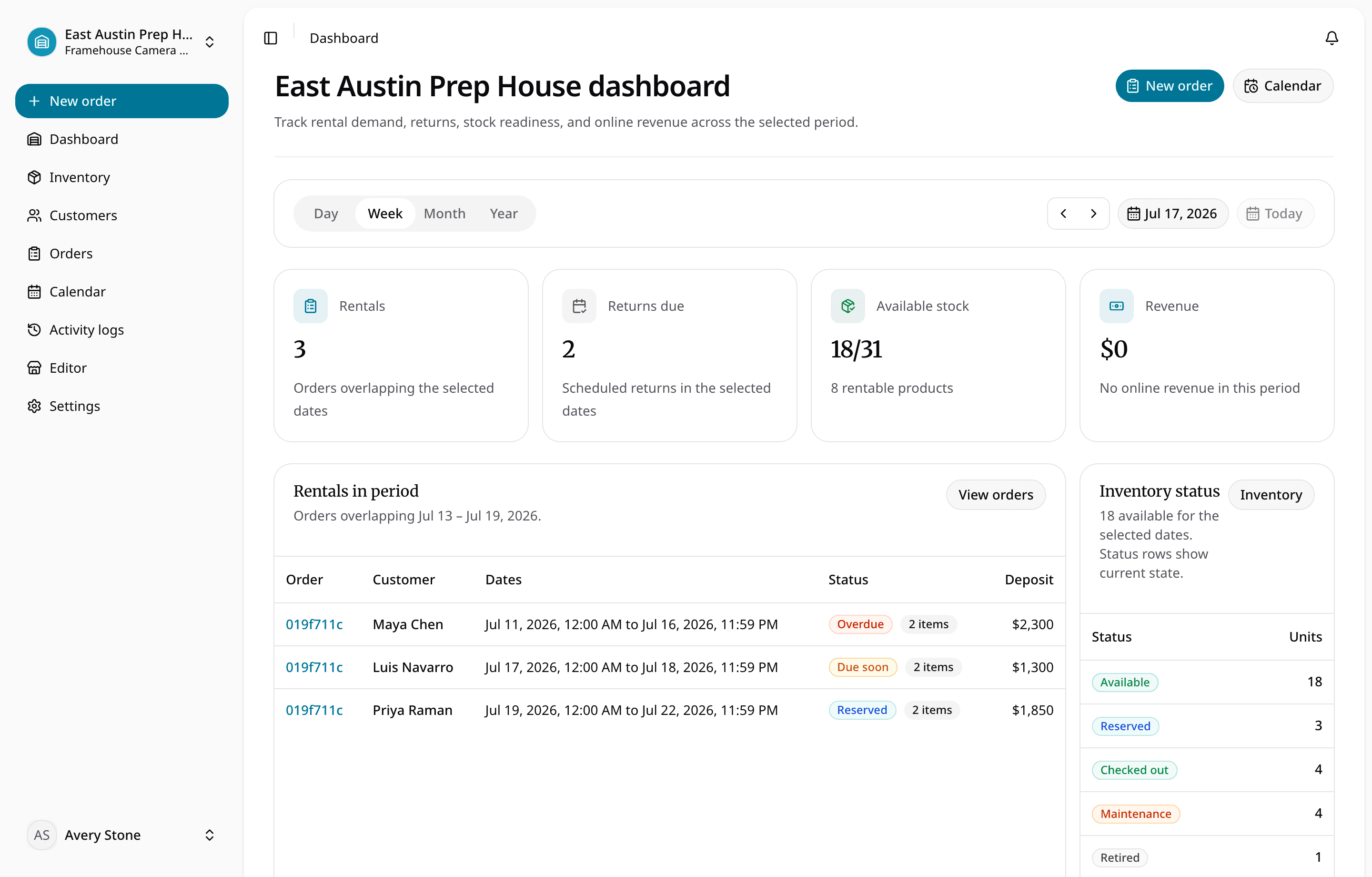
- Rentals due soon or overdue
- Returns awaiting inspection
- Damage, loss, or maintenance holds
- Deposit or payment actions
- Inventory with weak utilisation
- Customer requests you could not fulfill
The review turns daily records into better purchasing and process decisions.
A simple launch sequence
- Choose one customer segment and one narrow catalog.
- Validate demand and rates before buying depth.
- Set up products, variants, units or quantities, identifiers, pricing, deposits, tax, and locations.
- Write request, approval, reservation, checkout, return, inspection, maintenance, and cancellation rules.
- Prepare customer, address, document, signature, payment, pickup, and delivery workflows.
- Run several complete test rentals.
- Launch to a small customer group and review every exception.
- Add inventory only when demand and operations justify it.
A rental business becomes dependable when the customer promise and the physical inventory stay connected. Build that discipline early, and growth creates more work—not more uncertainty.
About Ciprian Redinciuc
Ciprian Redinciuc writes RentalBench product and rental operations guides based on the workflows implemented in RentalBench: inventory, availability, orders, storefront intake, deposits, checkout, and returns.