
Rental Maintenance Status: How to Keep Unready Items Off the Calendar
Learn how rental maintenance status keeps dirty, damaged, or uninspected items off the calendar until they are ready for checkout.
March 4, 2026 · 8 min read
Key takeaways
The practical answer
- Maintenance status should change what the calendar and staff can promise.
- Record service context on the exact unit, not only the product.
- Reopen inventory only after inspection or service confirms readiness.
Rental maintenance status is a small field with a large job.
It tells your team whether an item can actually be rented, not just whether it exists in the yard, warehouse, trailer lot, or storage room.
That distinction matters on busy days.
A pressure washer can be back from a customer but missing the hose. A trailer can be parked by the gate but have a bad light. A compact machine can be returned on time but still need inspection. A camera kit can be in the case but missing one battery. A tent kit can be stacked on the shelf but short on stakes.
If those items still look available on the rental calendar, the calendar is no longer telling the truth.
For small rental teams, rental maintenance status does not need to become a complicated fleet maintenance program. It needs to do one practical thing well: keep unready items from being promised to the next customer.
This article explains how to use maintenance status inside a rental workflow, which statuses are worth tracking, and how to connect those statuses to requests, reservations, checkout, returns, and due-back dates.
What Rental Maintenance Status Means
Rental maintenance status is the operational condition of a rentable item.
It answers questions like:
- Is this item ready to rent?
- Does it need inspection first?
- Is it dirty, damaged, missing parts, or waiting on repair?
- Can staff promise it for a future reservation?
- Should it appear on the availability calendar?
The important part is availability.
A maintenance note that lives in a notebook, text thread, spreadsheet comment, or staff memory can be useful, but it does not protect the calendar. If a damaged item still appears available, someone can accidentally promise it.
That is why RentalBench treats item statuses and maintenance as part of rental operations. Status is not only documentation. It is part of the answer to "Can we rent this?"
Returned Does Not Mean Ready
Many rental mistakes happen because a return is treated as the end of the workflow.
The customer brings the item back. Staff marks it returned. The item goes back on the shelf, rack, lot, or yard row. The calendar shows it as open again.
That is fine only if the item is actually ready.
In real operations, the return is a checkpoint.
Staff may need to confirm condition, accessories, fuel, charge, cleanliness, meter readings, straps, blades, hoses, chargers, keys, hitches, plates, safety items, and damage. Some checks take one minute. Some require a mechanic, a test start, a wash, a replacement part, or a manager review.
The safe habit is to separate "back" from "ready."
Useful return states include:
- Returned, needs inspection
- Returned, needs cleaning
- Returned, missing parts
- Returned, damaged
- In maintenance
- Ready to rent
You may not need every label. A small tool shop can keep the list shorter than a compact equipment yard. The point is to stop using one status for two different facts.
"Returned" means the customer no longer has it.
"Ready" means the next customer can receive it.
Why Maintenance Status Belongs on the Calendar
The rental calendar is where promises are made.
If maintenance status is not visible there, staff must remember to check somewhere else before confirming a request. That works until the counter is busy, the phone rings, a customer extends a rental, and someone is handling a return at the same time.
A reliable availability calendar should show more than open dates. It should show whether an item is requested, reserved, checked out, due back, late, returned but not ready, or blocked for maintenance.
For example, suppose you own two generators.
One is checked out until Friday morning. The second is in the shop because it failed a startup check. A customer asks for a generator Thursday afternoon through Saturday.
On paper, you own two.
In the rental operation, you have zero ready for that window unless something changes.
That is the difference maintenance status makes. It stops staff from counting inventory that cannot be used.
Simple Statuses Small Teams Can Actually Use
Do not start with a status list so detailed that nobody updates it.
Start with the decisions your team needs to make every day. Most small rental operations can begin with a short set of practical statuses:
- Available
- Reserved
- Checked out
- Due back
- Returned, needs inspection
- Needs cleaning
- Missing parts
- Damaged
- In maintenance
- Ready to rent
Some of these are rental statuses. Some are maintenance statuses. That is acceptable because the team experiences them as one workflow.
The question is not whether the label is perfect. The question is whether the label helps staff make the next correct move.
If an item is "available," it should be safe to promise for the requested dates.
If it is "returned, needs inspection," it should not be treated as available yet.
If it is "missing parts," staff should know what is missing and whether the item can be rented without it.
If it is "in maintenance," the calendar should block it until someone intentionally releases it.

Connect Status to Requests and Reservations
Maintenance status should affect the rental promise before the order exists.
When a customer submits a request, staff should review the item, date range, location, and current status before approving it. A request is demand. A reservation is a commitment.
That separation matters.
If every request automatically becomes a confirmed reservation, your team may hold inventory that is not ready or may need to undo promises after discovering a maintenance issue.
A cleaner process looks like this:
- Customer asks for an item and date range.
- Staff checks availability and item status.
- Staff confirms whether the item is ready, reserved, checked out, or blocked.
- Staff approves, edits, substitutes, or declines the request.
- Approved work becomes a reservation or order.
RentalBench handles this through orders and reservations, where the customer, item, dates, deposit context, and status stay tied together. That helps prevent a maintenance issue from being handled as a side note.
Use Checkout to Confirm What Leaves
Maintenance status is not only for broken items.
It also helps prove that a ready item actually left in the expected condition.
During checkout, staff should confirm the exact SKU, physical unit, quantity, accessories, deposit status, due-back date, and condition notes. For a trailer, that may include lights, plate, hitch, tires, straps, and ramps. For a tool, it may include charger, blade, bit set, hose, cord, or case. For compact equipment, it may include attachment, bucket, fuel level, meter reading, and jobsite details.
This is where a focused checkout and returns process matters. Checkout should change the item from ready or reserved to checked out. It should also preserve enough condition context that return inspection is not based only on memory.
Good checkout notes make maintenance decisions easier later. If the kit left with four batteries and comes back with three, the missing part is not a mystery.
Make Return Inspection the Gate
Return inspection is the gate between active rental and available inventory.
It does not have to be slow. It does have to be consistent.
At return, staff should answer:
- Did the correct item come back?
- Did it come back on time?
- Are all accessories included?
- Is it clean enough to rent again?
- Is anything damaged, missing, loose, cracked, bent, dead, empty, or unsafe?
- Does it need fuel, charging, washing, testing, or repair?
- Should the deposit be released, held, or reviewed?
- What status should the item move to now?
For some items, the inspection is quick. Count the chairs, check the case, confirm the charger, and look at the cord. For other items, the inspection may require a test run, mechanic review, cleaning bay, or parts order.
The key rule is simple: do not move the item back to available until the person responsible for readiness says it is ready.
For a deeper workflow, the rental checkout and return process guide walks through the handoff from order to checkout to return.
Build Rules for Tight Turnarounds
Maintenance status matters most when the schedule is tight.
A trailer due back at 10 a.m. may not be realistic for a noon pickup if it often comes back dirty, late, or with lighting issues. A party kit due back Monday morning may not be ready for a Monday afternoon setup if pieces must be counted and sorted. A generator may need fuel and a startup check before it can leave again.
The calendar should make tight turnarounds visible so staff can decide whether to accept the next rental, add prep time, offer a substitute, or adjust pickup.
The broader rental availability calendar workflow should include returned-but-not-ready items, not just checked-out items.
Keep Maintenance Notes Specific
A status tells the team what category the item is in. A note should explain what needs to happen.
"In maintenance" is useful, but "left trailer light out, needs wiring check before rental" is better.
"Missing parts" is useful, but "missing 50-foot hose" is better.
"Needs inspection" is useful, but "customer reported vibration after two hours of use" is better.
Specific notes reduce repeat conversations and help the next staff member act without finding the person who first saw the issue.
For small rental teams, useful maintenance notes often include:
- What is wrong
- Who found it
- When it was found
- What part, repair, cleaning, or inspection is needed
- Who should clear the item back to ready
Do not turn every note into a long report. Write enough that the next person can make a good decision.
Do Not Let Spreadsheets Hide Down Items
Spreadsheets can list inventory. They are weaker at protecting availability.
A row may say you own four plate compactors, but that does not mean four are ready. If one is checked out, one is reserved, one needs inspection, and one is missing a water tank cap, staff still have to rebuild the truth before answering a customer.
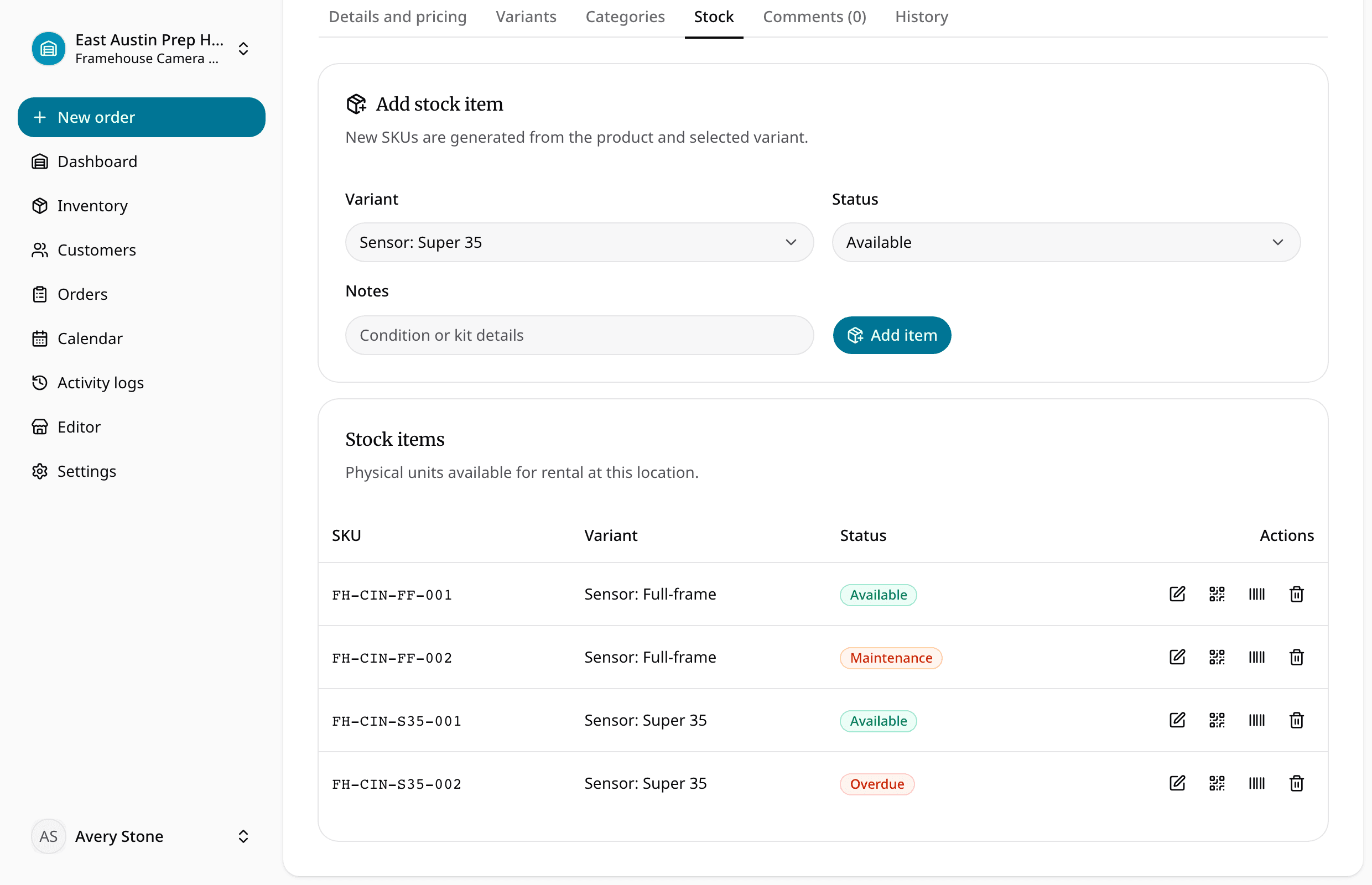
Purpose-built rental inventory software should keep catalog items, SKUs, physical units, reservations, checkout, returns, and item status connected. That way maintenance status becomes part of the rental answer instead of a separate reminder.
This is especially important when the same item type has multiple physical units. "Generator available" is not enough if Generator 001 is out, Generator 002 is down, and Generator 003 is reserved tomorrow morning.
The team needs to see the actual unit status.
A Practical Maintenance Status Workflow
Here is a simple workflow small teams can use.
- Review upcoming pickups and due-back items each morning.
- Check whether any reservation depends on an item that is not clearly ready.
- At checkout, confirm the exact item, accessories, due-back date, deposit context, and condition.
- When the item is out, keep the due-back date visible.
- At return, mark the item returned but do not automatically mark it available.
- Inspect the item and accessories.
- Move the item to ready, cleaning, missing parts, damaged, or maintenance.
- Add a specific note when work is needed.
- Release the item back to available only when it can actually go out again.
This workflow is deliberately plain. It does not require a large maintenance department. It requires the team to agree that the calendar should reflect reality.
The Bottom Line
Rental maintenance status protects the promise your team makes to customers.
It keeps damaged, dirty, incomplete, uninspected, or questionable items from appearing ready before they are actually ready. It also gives staff a shared language for what needs to happen next.
For small rental operators, the goal is not to track every mechanical detail in a heavy system. The goal is to connect maintenance status to the daily rental workflow: requests, reservations, checkout, due-back dates, returns, deposits, customer records, and availability.
If the item is not ready, the calendar should know.
That one rule prevents many avoidable rental problems.
About Ciprian Redinciuc
Ciprian Redinciuc writes RentalBench product and rental operations guides based on the workflows implemented in RentalBench: inventory, availability, orders, storefront intake, deposits, checkout, and returns.