
Rental Reservation System Guide: Requests, Availability, and Commitments
Learn how a rental reservation system should separate requests, approvals, reservations, checkout, due-backs, returns, and cancellations.
May 31, 2026 · 2 min read
Key takeaways
The practical answer
- A request should not commit inventory before staff verifies availability and order fit.
- Availability depends on product, variant, quantity, exact items, location, due-backs, and status.
- The reservation remains accurate only when checkout, return, inspection, cancellation, and rejection update it.
A rental reservation system has a harder job than a normal appointment calendar. The customer is not only reserving time. They need a product, variant, quantity, or exact unit that may already be requested, reserved, checked out, overdue, under maintenance, at another location, or waiting for inspection.
The system should protect the difference between demand and commitment.
Start with distinct stages
Use plain operational meanings:
- Requested: the customer or staff has proposed dates and items.
- Approved: the team accepts the commercial and fulfillment details.
- Reserved: inventory is committed to the order.
- Checked out: exact units or quantities have left custody.
- Returned: inventory has come back but may still need inspection.
- Inspected: the team has made readiness, damage, loss, maintenance, and deposit decisions.
- Cancelled or rejected: the work will not proceed and inventory should be released.
Flattening these into “booked” makes it difficult to see what still requires a decision.
Capture a complete request
Before checking availability, collect:
- Customer
- Start and end dates
- Product and variant
- Quantity
- Location
- Pickup or delivery
- Address where relevant
- Payment choice
- Notes and required accessories
An online storefront should create this structured request in the same order queue staff use. It should not silently reserve inventory before review.
Calculate practical availability
Review the requested window against:
- Approved and reserved orders
- Checked-out and overdue rentals
- Due-back timing and turnaround buffer
- Exact item status
- Consumable quantity held by other orders
- Location
- Maintenance, damage, loss, retirement, or inspection holds
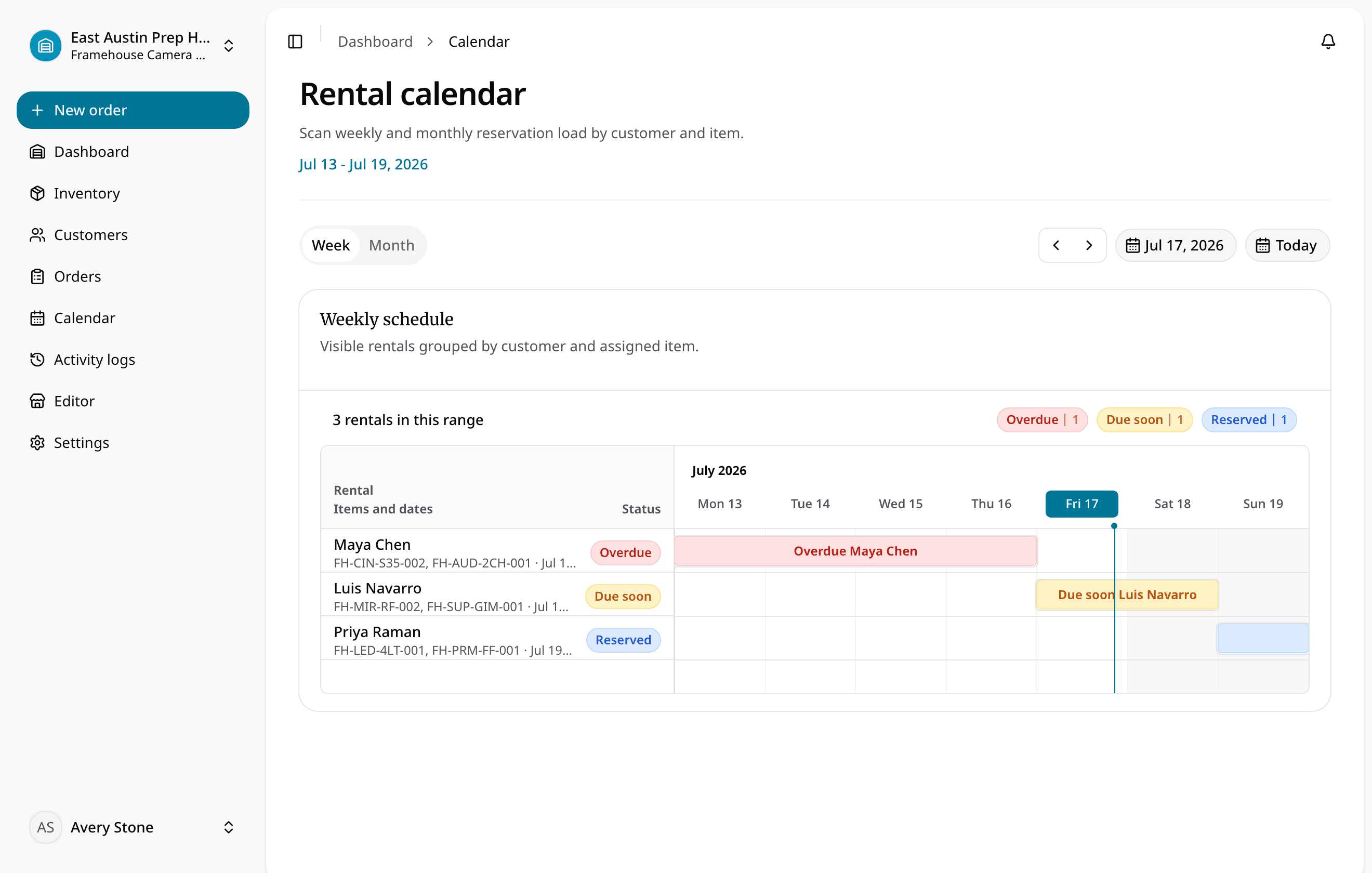
This is why the availability calendar must connect to inventory and order status.
Make the approval decision explicit
The reviewer should be able to answer:
- Can the complete order be fulfilled for the requested dates?
- Are the correct variants and quantities available at the right location?
- Is the customer, address, fulfillment, deposit, tax, and payment context acceptable?
- Are required documents or signatures ready?
- Does the due-back and inspection window protect the next reservation?
Only then should the system commit inventory.
Keep the reservation current
A reservation is not a static calendar block. Checkout should record the exact units that left. An extension should change the date commitment. An overdue return should remain visible. A cancellation or rejection should release stock. Return and inspection should decide when inventory can support another promise.
What to test before choosing a system
Run these scenarios:
- Two customers request the same variant for overlapping dates.
- A returned unit fails inspection.
- A customer asks to extend an active rental.
- One item in a kit is under maintenance.
- Stock exists, but only at another location.
- A storefront request arrives with delivery and deposit details.
- The order is cancelled after reservation.
The system should keep availability and next actions clear in each case.
See equipment reservation software for the RentalBench workflow and preventing overbookings for the conflict-control sequence.
About Ciprian Redinciuc
Ciprian Redinciuc writes RentalBench product and rental operations guides based on the workflows implemented in RentalBench: inventory, availability, orders, storefront intake, deposits, checkout, and returns.