
Consumable and Rental Inventory: Use the Right Stock Model for Each
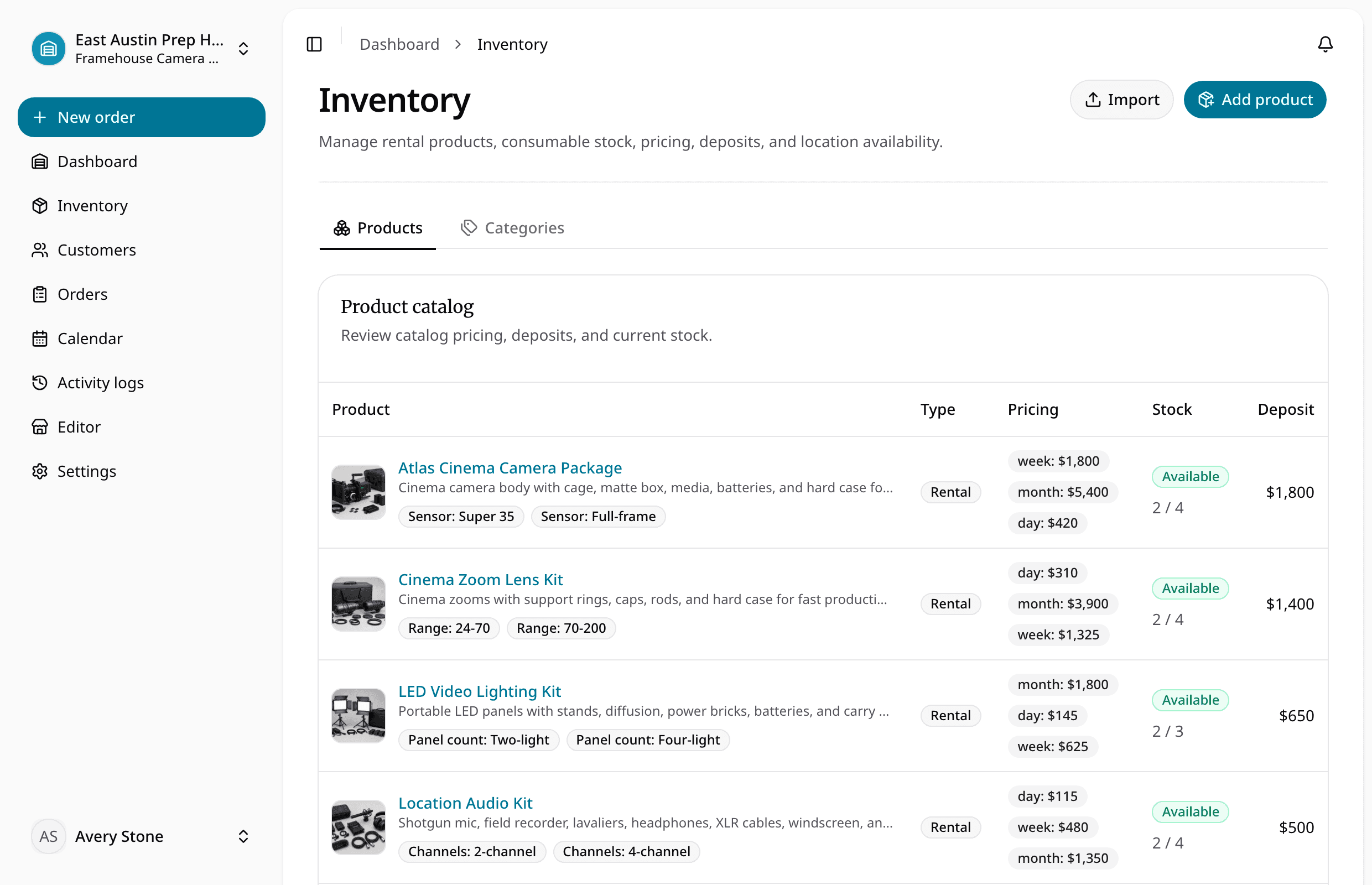
Learn how to manage serialized rental units and quantity-based consumables in one catalog without mixing item status with stock counts.
June 28, 2026 · 2 min read
Key takeaways
The practical answer
- Serialized rental inventory needs exact-unit identity and status.
- Consumables need quantity-on-hand, held, and available counts by variant and location.
- Both can share products, variants, images, tax, pricing, import, storefront, and order workflows.
Rental and consumable inventory often appear on the same order, but they should not use the same stock model.
A camera body, trailer, saw, or projector is a physical unit that leaves and returns. Tape, fuel, batteries sold to the customer, cleaning supplies, cable ties, or replacement blades may be quantity stock that decreases when fulfilled.
Trying to represent both as identical rows creates confusing availability and checkout rules.
Model rental inventory as exact units
Each serialized unit should have:
- Product and variant
- Stable SKU
- QR and barcode payload
- Location
- Available, reserved, checked out, overdue, maintenance, retired, lost, or other status
- Condition and notes
- Order and service history
Reservations may begin at the product or variant level, while checkout assigns the exact unit.
Model consumables as quantities
Each consumable variant should have:
- Variant SKU
- Sale price
- Tax profile
- Quantity on hand by location
- Quantity held by active orders
- Available quantity
The order reserves or holds a quantity rather than a serialized item. Checkout reduces or fulfills stock according to the operational rule.
Share the catalog where it helps
Both types can use:
- Product names and descriptions
- Categories
- Variants and images
- Location
- Import mapping
- Tax profiles
- Storefront product pages
- Customer, order, and payment context
The product type should remain explicit so staff and the system use the correct inventory behavior.
Use variants consistently
For rental inventory, a variant may describe mount, size, capacity, or configuration. For consumables, it may describe size, color, package count, or formulation.
Do not create variants for details that belong only to one serialized unit. Conversely, do not create hundreds of physical item records when the team only needs quantity counts for interchangeable consumable stock.
Import both types carefully
The source file should identify:
- Product type
- Product and description
- Variant name and value
- Variant SKU
- Quantity for consumables
- Unit SKU and barcode for rentals
- Pricing, sale price, deposit, and tax
- Location, status, and notes
Preview the mapping before committing. The spreadsheet migration guide explains the review process.
Check mixed orders end to end
Test an order containing one serialized rental product and one consumable quantity. Confirm that reservation, availability, checkout, return, tax, payment, and storefront behavior make sense for each line.
See rental inventory software for the connected model.
About Ciprian Redinciuc
Ciprian Redinciuc writes RentalBench product and rental operations guides based on the workflows implemented in RentalBench: inventory, availability, orders, storefront intake, deposits, checkout, and returns.