
QR Code Equipment Tracking for Rentals: Identity Before Automation
Use QR codes and barcodes to identify exact rental units, then connect scans to reservation, checkout, return, maintenance, and history.
July 5, 2026 · 2 min read
Key takeaways
The practical answer
- A code identifies the unit; it does not replace the product, variant, status, or order record.
- Use stable identifiers and durable labels that fit the physical environment.
- Scanning becomes valuable when it changes checkout, return, maintenance, and history consistently.
QR codes and barcodes can make rental handoffs faster, but the label is only the entry point. The real value comes from the item record and workflow behind it.
Start with identity before automation.
Give each physical unit a stable record
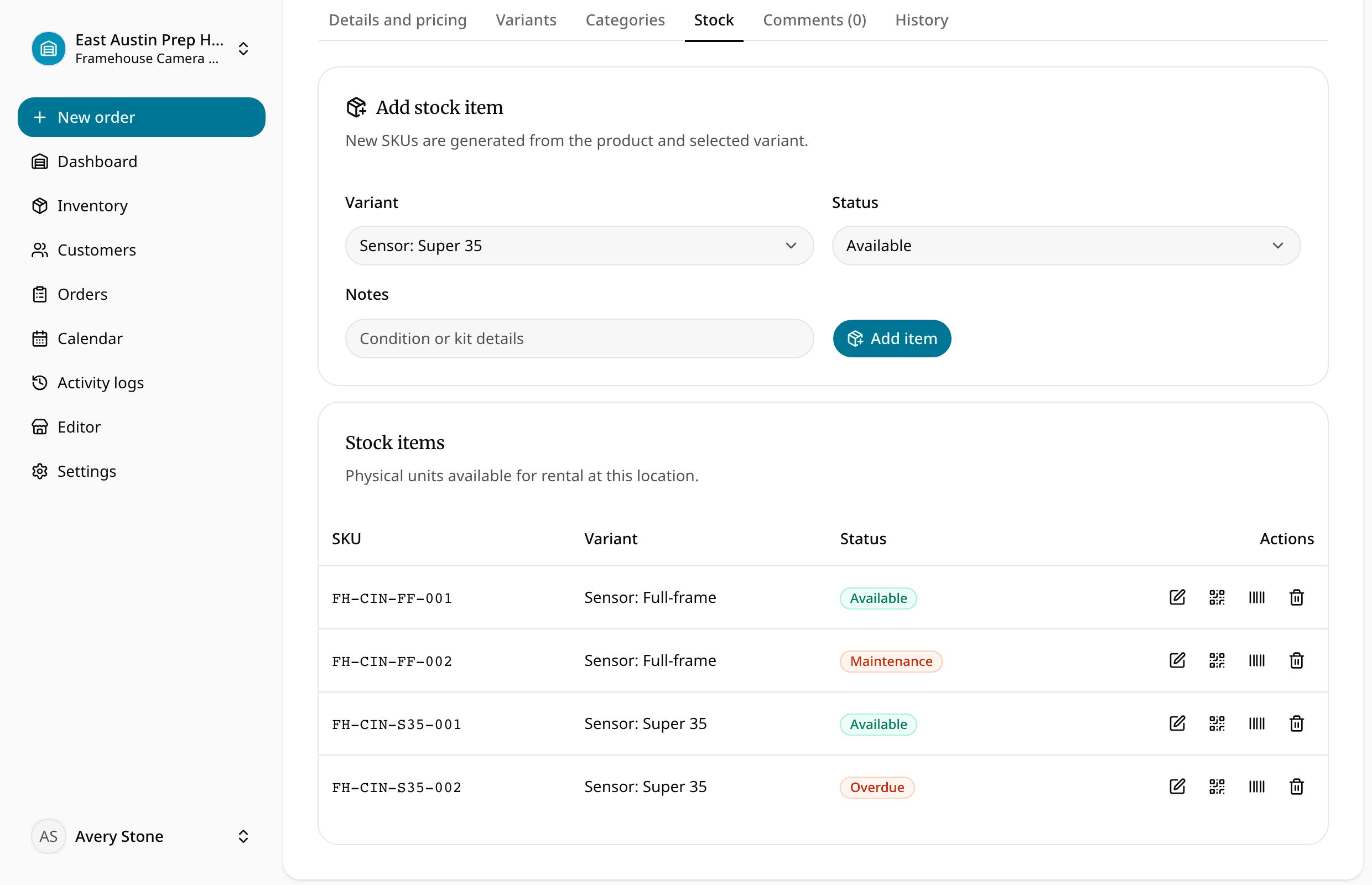
The item should already have:
- Product and variant
- SKU
- QR payload
- Barcode payload
- Location
- Current status
- Condition and notes
- Order and maintenance history
The code should resolve to or identify that stable unit. Avoid encoding mutable details such as current customer, status, or price directly in the label.
Choose QR or barcode based on the environment
QR codes can hold longer payloads and are easy to scan with many phone cameras. One-dimensional barcodes work well with dedicated scanners and compact label formats.
Consider:
- Label size
- Scanning distance
- Dirt, weather, abrasion, and cleaning
- Curved or metal surfaces
- Existing scanner hardware
- Whether staff use phones, tablets, or fixed stations
Use a human-readable SKU next to the code. Staff need a fallback when the label is damaged or the scanner is unavailable.
Connect scans to real actions
Useful scan points include:
- Inventory count
- Reservation prep
- Exact-item assignment
- Checkout confirmation
- Return intake
- Damage or loss recording
- Maintenance start and completion
- Location transfer
The action should validate context. A scan should not check out a unit that is under maintenance, assigned to another order, at the wrong location, or already checked out.
Keep product and item identity separate
Customers may request a “Full-frame cinema camera package.” Staff still need to assign body FH-CIN-FF-001 or another exact unit.
The product explains the offer. The variant narrows the option. The item code identifies what physically moved.
This separation also protects future availability and maintenance. If one unit is damaged, the product may still have another ready unit.
Roll out in a controlled sequence
- Clean the product, variant, item, and SKU structure.
- Generate stable QR and barcode payloads.
- Print and test durable labels on representative equipment.
- Define the allowed scan actions.
- Pilot checkout and return with a small team.
- Review exceptions before labelling the entire fleet.
Use the rental SKU tracking guide for the identity model and equipment checkout software for the full handoff workflow.
About Ciprian Redinciuc
Ciprian Redinciuc writes RentalBench product and rental operations guides based on the workflows implemented in RentalBench: inventory, availability, orders, storefront intake, deposits, checkout, and returns.