
Create an account and check out
Customers can register with email and password, sign in, reset a password, or use Google authentication when available. This account belongs to the storefront and is separate from staff access.
At checkout, confirm location, rental dates, cart lines, billing address, and delivery address when delivery is selected. Choose one of the payment methods enabled by the store. Pay on pickup submits immediately. Deposit or full payment redirects to a secure hosted checkout and returns to the order after payment.
Successful checkout creates a requested order and marks the cart submitted. Rental units are allocated where available, while consumable stock is not permanently deducted until staff checkout.
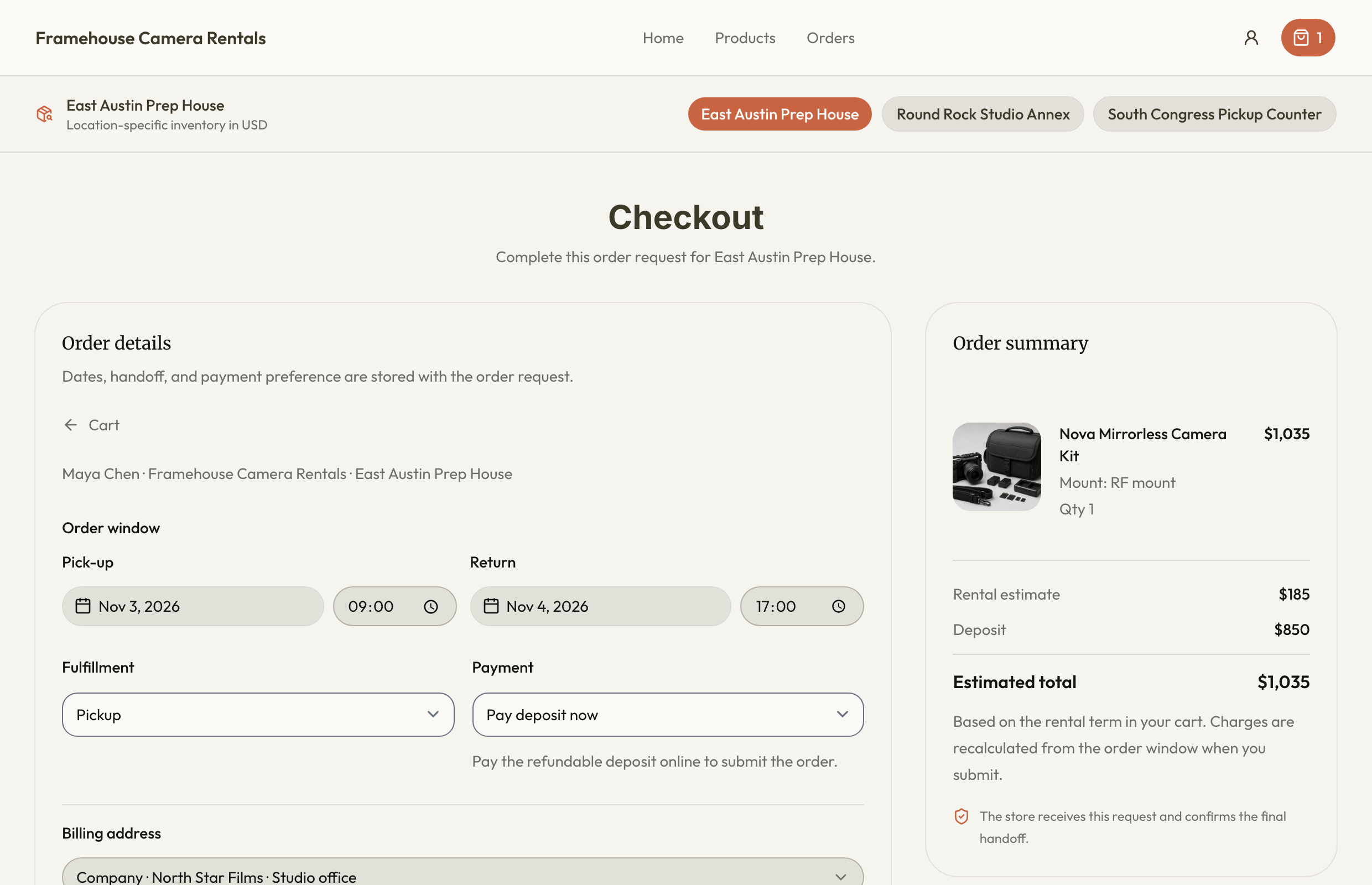
Complete checkout carefully
- Sign in to the storefront customer account and review the selected location and cart.
- Enter the rental period and pickup or delivery choice.
- Choose the correct Personal or Company billing address. Enter delivery details separately when required.
- Review charges, deposits, tax, and the enabled payment method before submission.
- For online collection, complete the hosted payment flow and return to the order. Check its actual payment state rather than relying only on a return-page redirect.
A failed or interrupted online payment can leave a requested order with payment pending. Contact the rental business with the order reference before submitting duplicate requests. Business tax IDs do not automatically grant a tax exemption. Existing customer documents can remain available while new ordering is paused by workspace billing.
Review the mobile summary
On a phone, the order estimate and deposit appear immediately before the submission button. Review that summary after choosing dates, fulfillment details, and payment method. Rental amounts remain estimates until the submitted order window is calculated; a responsive layout does not turn them into a live price quote.