
Configure storefront content and products
Use the form-driven editor to choose a prepared template and theme preset, edit supported content sections, and order featured products. Preview changes before saving.
Enable pay on pickup, deposit payment, or full payment as appropriate. Online methods require a ready bank account. Full-payment orders cannot be checked out by staff until required payment is paid. Featured and catalog products still obey the selected location, active/archived state, variant, and availability rules.
Publish only after checking catalog imagery, product details, location selection, cart, authentication, and checkout. Changes affect the public store without duplicating underlying inventory.
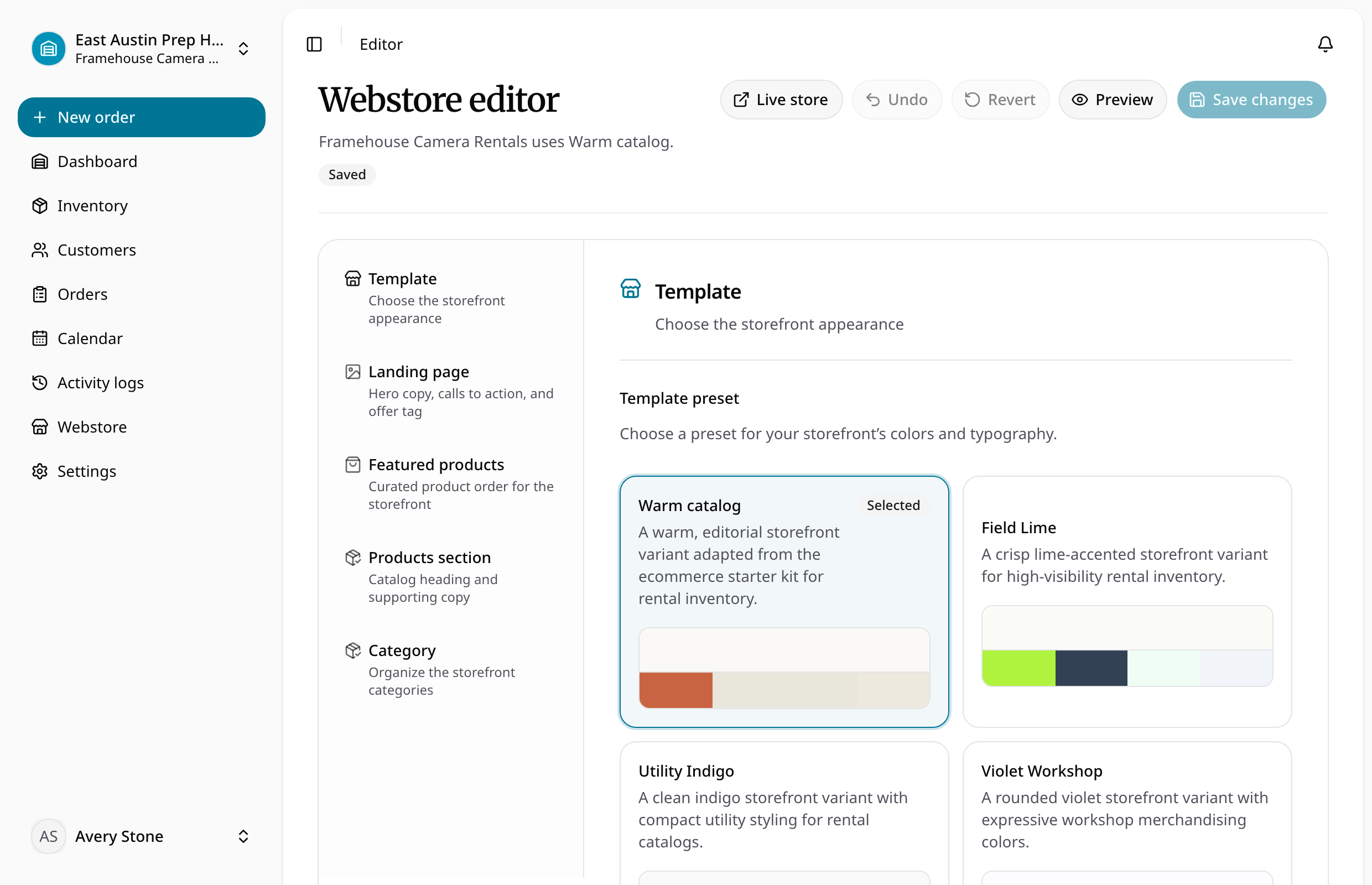
Configure, preview, and publish
- Open the store's configuration workbench.
- Choose the template and one of its prepared theme presets.
- Edit Landing page, Featured products, Products section, and Category sections as needed. Order featured products from active inventory at the current location.
- Open preview to inspect the unsaved draft. Undo or revert local changes when needed, then save the intended configuration.
- Review enabled payment methods and publication status.
- Check the public catalog, product variants and photos, location choice, cart, customer sign-in, and checkout.
The current preview does not reflect edits to the hero headline. Offer fields and featured-product copy were verified to render; check the public storefront after saving before relying on any content change.
The editor does not offer raw colors, fonts, font sizes, spacing, or radius controls. Themes are prepared presets. Real product categories supply storefront filters; selecting a theme does not create categories or stock. Use online payment setup before offering deposit or full-payment collection.