
Equipment Rental Invoice Template and Worked Example
Download a free equipment rental invoice template for Word. Follow a worked example for rental periods, charges, payments, and security deposits.
October 21, 2026 · 9 min read
Key takeaways
The practical answer
- Download an editable Word template without signing up, then replace the placeholders and calculate your own totals.
- Show equipment quantities, billable periods, rates, payments, and the remaining invoice balance clearly.
- Track refundable security deposits separately and keep the invoice connected to the underlying rental order.
An equipment rental invoice template should tell the customer what they rented, which period you charged for, how the charges were calculated, and what remains to pay. It also needs to distinguish a payment toward rental charges from a refundable security deposit. Mixing those amounts makes an otherwise correct invoice difficult to understand.
Download the free equipment rental invoice template for Word — an editable DOCX file, with no signup required. It contains blank fields for your business, customer, equipment, dates, charges, payments, and security-deposit record. It does not calculate totals automatically.
This guide is for small equipment, tool, trailer, and camera rental operators. RentalBench publishes it to help you prepare a clear invoice and decide when generating documents from rental orders would save repeated entry. The example below is fictional; its rates and tax assumption are teaching inputs, not recommended prices or tax guidance.
In this guide
- Use the free template
- Include the right fields
- Follow a worked example
- Handle changes and deposits
- Connect invoices to RentalBench orders
- Check before sending
- Invoice FAQs
How to use the equipment rental invoice template
Open the downloaded DOCX in Word or another compatible editor and save a working copy for the rental. Replace every bracketed placeholder, remove unused equipment rows, and add rows if needed. Choose one currency and show it clearly, especially if a customer could interpret the dollar symbol differently.
The template is deliberately manual. Enter the agreed billing basis, calculate each line, and check the subtotal, applicable tax, invoice total, payments applied, and balance due. Review the document in print preview before exporting a PDF to send to the customer. Keep the editable copy and the exact issued version together with the order reference.
Its security-deposit section is separate from the invoice balance. Use that section to record whether a deposit was collected, authorized, refunded, or retained, with references to the relevant records. Do not leave the instructions or empty placeholders in a customer-facing invoice. Check required invoice fields and tax treatment for your own location before using it commercially.
What to include on an equipment rental invoice
Start with fields that let a customer or colleague reconcile the invoice without reopening several messages. The following is a practical operating checklist, rather than a statement that every jurisdiction requires identical invoice fields.
| Field | What to record |
|---|---|
| Supplier and customer | Business names, billing addresses, and a contact for questions |
| Document identity | Unique invoice number, issue date, due date, and rental order reference |
| Equipment | Description, quantity, and unit or asset reference where useful |
| Rental window | Agreed start and end dates, times, and relevant time zone |
| Billing basis | Daily, weekly, or other agreed period; number of billable periods; rate |
| Additional charges | Delivery, collection, or other agreed charges as separate lines |
| Totals | Subtotal, applicable tax detail, invoice total, payments applied, and balance due |
| Security deposit | A separate status and amount record, linked to collection or refund evidence |
| Payment instructions | Accepted method, payment reference, and the agreed payment deadline |
Make the rental period and billing period explicit
A pickup date and a return date do not always explain the bill. A customer might collect equipment on Friday afternoon under an agreed weekend price, while another rental uses three daily periods. State the agreed basis so neither side has to infer it from calendar dates.
For a daily line, show quantity × billable days × daily rate. For an agreed weekly price, show weekly periods and the weekly rate. If your policy uses minimum periods or partial-day treatment, explain the applicable rule in the agreement and make the invoice match it. Our equipment rental pricing guide covers rate planning in more detail.
Distinguish the customer, jobsite, and equipment unit
The billing customer may have a different address from the delivery site. Label those fields separately, and include a customer purchase-order reference if one was supplied. A compact description such as “plate compactor, unit PC-02” also helps connect a disputed line to the equipment actually handed over.
Keep detailed condition notes, accessory checks, and return evidence with the order. The invoice can reference those records without becoming a replacement for the agreement or inspection report. This keeps the bill readable while preserving the detail needed to explain it later.
Equipment rental invoice example
Suppose a fictional customer rents two compactors for three agreed billable days at $80 per unit per day, with $60 delivery. The agreed window is November 2, 2026, at 9 a.m. through November 5 at 9 a.m., local time. For this arithmetic example only, assume every charge is taxable at 8%. Actual taxability and rates must be determined separately.
| Charge or payment | Calculation and amount |
|---|---|
| Compactors PC-01 and PC-02 | 2 units × 3 days × $80 per unit/day = $480.00 |
| Delivery | 1 delivery × $60 = $60.00 |
| Subtotal | $480 + $60 = $540.00 |
| Example tax at 8% | $540 × 8% = $43.20 |
| Invoice total | $540 + $43.20 = $583.20 |
| Previous payment applied to charges | −$100.00 |
| Invoice balance due | $583.20 − $100 = $483.20 |
The arithmetic is 2 × 3 × $80 = $480, then ($480 + $60) × 1.08 = $583.20. Subtract the $100 already applied to rental charges to reach $483.20 outstanding. Include a payment date and reference so the customer can identify that credit.
Now suppose the operator also holds a $200 refundable security deposit. In this example it has not been applied to the charges, so the invoice balance remains $483.20. Show “security deposit held: $200” separately. If the customer pays the balance, payments toward charges total $583.20, while the $200 security deposit still needs its own return or settlement record.
That distinction is the main reason to avoid a single unlabeled “deposit” field. An advance payment toward the bill and money held as security serve different purposes. Make the intended treatment explicit in the agreement, payment records, and invoice.
Try a sample rental order and review its documents in RentalBench.
Handle extensions, returns, and security deposits
When a customer asks to keep equipment longer, confirm availability and the additional period before promising an extension. Record what changed, which rate applies, and who agreed. Reconcile the resulting charges with the document you issue; changing a return date alone does not explain an additional amount to the customer.
For early returns, apply the agreed rental policy rather than silently recalculating the bill. If the customer disputes a charge, compare the agreement, dates, handoff records, and payments. Keep a traceable correction or adjustment record appropriate to your accounting process instead of overwriting the only copy of an issued invoice.
Damage or missing accessories also need supporting evidence. Record the inspection outcome, the reason for any proposed charge or deposit retention, and the communication with the customer. Do not treat the original refundable deposit as an unexplained discount or extra rental charge. See the rental deposit tracking guide for the operating workflow.
Retain the invoice alongside the records supporting the transaction. The IRS recordkeeping guidance explains that business transactions generate supporting documents used to record entries in your books. That is a reason to maintain a clear trail; the retention period and tax treatment need to fit your circumstances.
How RentalBench connects invoices to the rental
A Word template is workable when someone can keep each field and total synchronized. The harder problem appears when the customer address changes, equipment is reassigned, a rental extends, or several people handle the order. Re-entering the same information creates another place to check before sending the bill.
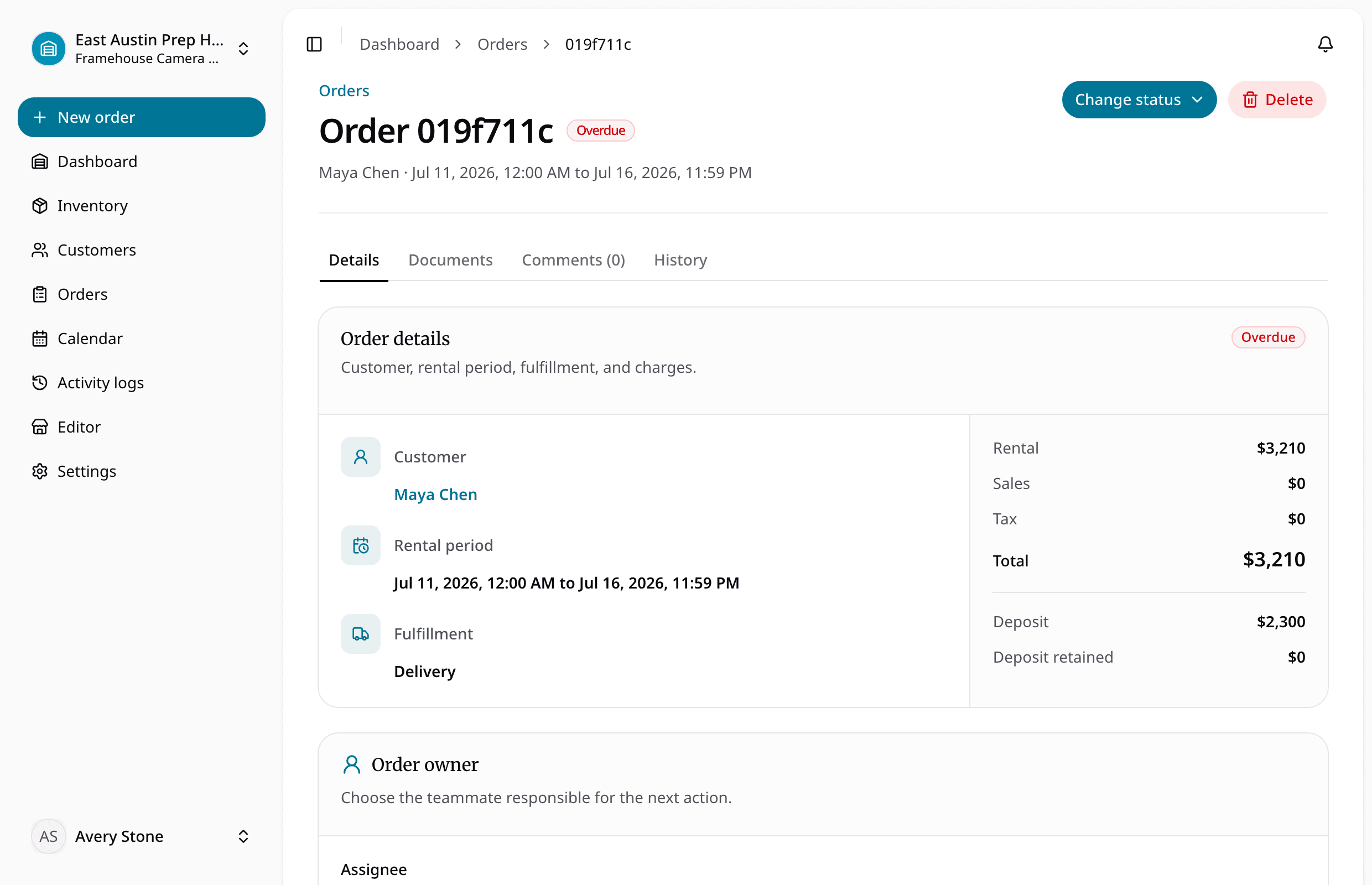
RentalBench connects the customer, rental dates, equipment, and charges in the order. Its order document workflow provisions a pro forma invoice, rental agreement, delivery acceptance report, return inspection and deposit report, and tax invoice or receipt record. Staff and authorized customers can preview documents; finalized PDFs preserve an issuance snapshot so later edits do not rewrite issued content.
RentalBench also copies the selected pricing cadence and interval price to order items, preserving historical charges when catalog prices change. Tax settings are configurable, with snapshots on orders and items. During return inspection, staff can record a reason for retaining an item's deposit; a remaining amount can be refunded when an online deposit payment exists.
These capabilities help keep the rental record and its documents together. They do not decide your local tax obligations or replace your bookkeeping process. The downloadable Word file is a standalone manual template, not an import file or a promise that every field shown here has a matching customization control in RentalBench.
Run your own rental from order creation to document preview.
Equipment rental invoice checklist
Before sending an invoice, work through these checks:
- Match the customer, invoice number, and order reference to the correct rental.
- Confirm the equipment quantities, unit references, and agreed rental window.
- Recalculate billable periods and rates, including any agreed extension.
- Verify additional charges and applicable tax treatment.
- Reconcile payments applied to charges and the invoice balance.
- Check the security-deposit record separately, including any refund or retention.
- Confirm the due date, payment instructions, and contact for questions.
- Save the issued version and check that the customer can read it.
To evaluate RentalBench, use a fictional customer and two test items. Create an order, review prices and deposit settings, preview its documents, then compare the details with the order. Check the documented issuance behavior before using real customer records or collecting a payment.
Equipment rental invoice template FAQ
Is this equipment rental invoice template free?
Yes. The Word download is free and does not require an account. Replace the placeholders, calculate the totals, and export your completed copy for the customer. It is a manual starting point; you need to check that its fields and treatment fit your business and location.
Is an invoice the same as a rental agreement?
They have different purposes. The agreement records the rental terms, responsibilities, and agreed policies. The invoice presents charges and the amount due. Keep them linked by an order reference, and make the invoice consistent with the agreed terms rather than relying on it to supply missing rental conditions.
Should I subtract the security deposit from the invoice?
Only show an amount as a payment against charges when your records establish that it has actually been applied that way. In the example, the $200 security deposit remains held separately, while the $100 advance payment reduces the invoice balance. Label both so the customer can reconcile them.
When should I move from a template to rental software?
Consider it when keeping dates, equipment, customers, payments, and documents synchronized becomes repeated work. Test a real operating scenario with fictional data first. The equipment rental invoice template helps you understand the fields; RentalBench lets you evaluate how those documents connect to the rental order.
Start your 14-day RentalBench trial. The trial is on Plus and requires a card. Start monthly billing follows unless you choose another plan or cancel through billing. Review the current plans and trial terms before signing up.
About Ciprian Redinciuc
Ciprian Redinciuc writes RentalBench product and rental operations guides based on the workflows implemented in RentalBench: inventory, availability, orders, storefront intake, deposits, checkout, and returns.