
How to Choose the Best Equipment Rental Software for a Small Team
Choose the best equipment rental software for your team with a practical workflow scorecard, test-order plan, migration checklist, and fit questions.
July 11, 2026 · 11 min read
Key takeaways
The practical answer
- The best software is the one that matches how your team identifies inventory, approves requests, hands items out, and makes them ready again.
- Test complete rental lifecycles instead of comparing feature lists in isolation.
- Choose the smallest system that handles today's real work without blocking the next stage of the business.
The best equipment rental software is the system your team can trust from the first request through the inspected return. It should represent inventory the way you actually rent it, show availability before staff makes a promise, keep the customer and order together, and update item status when equipment leaves or comes back.
For a small team, more modules do not automatically mean a better fit. The useful question is whether the software removes the daily handoffs that currently depend on spreadsheets, shared calendars, inboxes, paper forms, or one person's memory.
This guide gives you a practical way to compare options without relying on a generic ranking. You will define the workflow, run three test orders, score the results, and decide whether a lightweight rental platform or a broader enterprise system matches the operation.
Use the free Rental Software Evaluation Scorecard to keep the seven workflows, weighted scores, must-have requirements, evidence, and three test orders consistent across every vendor. It is available for Excel, Google Sheets, and PDF without an email gate.
What This Guide Covers
- The seven workflows to test
- A scorecard for comparing options consistently
- Three test orders that expose gaps quickly
- Security, accessibility, and data-portability questions
- Where RentalBench fits and where it does not
- A migration checklist for a small team
Define "Best" Around the Work You Actually Do
Software comparisons often begin with a feature grid. That is useful only after you define the operation behind the features.
A ten-trailer business, a compact-equipment yard, and a camera rental team may all need inventory and reservations. They do not necessarily need the same inventory model, turnaround rules, deposits, fulfillment details, or return inspection.
Write down the answers to these questions before opening a product demo:
- Do customers rent quantities, exact physical units, or both?
- Does staff approve every request before inventory is reserved?
- Can an item return and remain unavailable for inspection or maintenance?
- Do orders use counter pickup, delivery, jobsite addresses, or several locations?
- Are deposits, documents, and payment status part of the handoff?
- Should customers browse and submit requests online?
- Which answers must two staff members be able to see at the same time?
Those seven answers form a better shortlist than a page with one hundred checkmarks. They also help you separate a missing requirement from a feature that looks impressive but will not change the daily operation.
Test the Seven Core Rental Workflows
Use the same seven workflows in every trial or demo. Score each from 0 to 3:
- 0 — Missing: the workflow cannot be completed.
- 1 — Workaround: it requires a separate tool or repeated manual entry.
- 2 — Usable: it works, but staff needs extra steps or explanation.
- 3 — Clear: the workflow is complete and another staff member can understand it.
| Workflow | What to test | Evidence to keep |
|---|---|---|
| Inventory | Products, variants, quantities, exact units, SKUs, locations, and status | One product with two variants and three physical units |
| Availability | Requested dates, reservations, active rentals, due-backs, maintenance, and turnaround | One overlapping request and one item due back close to pickup |
| Requests and orders | Staff entry, online intake, approval, reservation, cancellation, and notes | One staff order and one customer request |
| Checkout and return | Assigned items, what left, due-back timing, inspection, and ready status | One complete checkout and inspected return |
| Customers | Contacts, saved addresses, notes, active work, and rental history | One repeat customer with two addresses |
| Storefront | Catalog, product details, dates, cart, checkout, pickup or delivery, and deposits | One mobile storefront request |
| Migration and control | Spreadsheet import, roles, exports, billing, and support | One sample import and one full data export question |
A total score is useful, but the failures matter more. A zero in exact-unit tracking can disqualify a system for trailer or camera rentals even if every other row scores well. A storefront score may matter less for a business that takes every order by phone.
Run Three Test Orders Before You Decide
Do not limit the trial to adding an item and opening a dashboard. Run three orders that resemble real work.
Test Order 1: A Normal Rental
Create a repeat customer, select an item, set the rental window, reserve it, check it out, and return it ready. This shows how many screens and status changes the common path requires.
The result should be visible in the customer history, order record, item status, and future availability without entering the same fact twice.
Test Order 2: A Conflict
Create a second request that overlaps the first. Then make the first item overdue or put the available unit into maintenance.
The test is not whether the software flashes a warning. The test is whether staff can understand why the request is unsafe and which inventory remains eligible. A connected rental availability calendar should explain the operational conflict, not only color a date red.
Test Order 3: A Messy Return
Return an order with one damaged item or missing accessory. Keep that unit unavailable, record the reason, and check what the next reservation sees.
This is where many simple booking tools stop. Rental operations continue through inspection, cleaning, missing parts, deposits, maintenance, and the decision to make an item ready again.
Match the Inventory Model Before Comparing Extras
Inventory is the foundation. If the model is wrong, the calendar and orders will eventually be wrong too.
Quantity-based inventory works when interchangeable units can fulfill the same request. Exact-item tracking matters when units have serial numbers, different conditions, separate locations, individual maintenance history, or customer-specific assignments.
Many businesses need both. A product may have a customer-facing name and rate while staff assigns the exact physical unit during reservation or checkout. Compare this requirement directly on the rental inventory software page, then reproduce it in each product trial.
Check whether the system can represent:
- Products and categories customers recognize
- Variants such as size, capacity, mount, or configuration
- Physical units and item-level SKUs
- Quantity and exact-unit availability
- Ready, reserved, checked-out, overdue, maintenance, lost, and retired status
- Location and condition context
- Default rates and deposit expectations
Avoid assuming you can fix a weak inventory model later with more spreadsheet columns. Availability and order accuracy depend on the structure from the start.
Check Whether Availability Follows the Whole Lifecycle
Availability is not simply the space between two calendar events. It depends on the order state and the readiness of the inventory.
The software should distinguish a customer request from an approved reservation. It should know whether the assigned item is checked out, overdue, returned but waiting on inspection, or blocked for maintenance. It should also make tight due-back timing visible before staff commits the next rental.
Use the equipment rental scheduling software workflow to compare what a calendar should show. Then test whether the product keeps dates connected to orders, items, customers, and returns.
Ask one staff member to create a conflict and another to diagnose it without help. If the second person has to open a spreadsheet, read a message thread, or ask who changed the schedule, the trial has not solved the shared-answer problem.
Decide How Much Online Ordering You Need
An online catalog can reduce repetitive calls, but it can also create another inbox if customer selections do not become structured rental work.
If online intake matters, test the complete customer path on a phone:
- Find the right product and variant.
- Understand rates, deposits, and availability expectations.
- Choose dates and add items to a cart.
- Select pickup or delivery and enter the right address.
- Create an account or provide customer details.
- Submit the request and receive a clear next step.
Then switch to the staff side. Confirm that the request includes the products, dates, customer, fulfillment, address, and payment context needed for approval. An equipment rental website builder should connect the published catalog to inventory and orders instead of creating a second catalog to maintain.
Review Security, Accessibility, and Data Portability
These questions rarely appear in a feature comparison, but they affect whether the system is safe to adopt and easy to leave.
Ask each vendor:
- How are staff roles and account access controlled?
- How are backups, incident response, and customer-data deletion handled?
- Can the business export inventory, customers, and orders in a usable format?
- Which provider handles card data and what part of PCI DSS responsibility remains with the rental business?
- Has the customer-facing experience been reviewed against WCAG 2.2 accessibility guidance?
- Which application-security controls are covered, using a framework such as the OWASP Application Security Verification Standard as a reference?
You do not need to become a security auditor during a software trial. You do need direct, understandable answers about account access, payment boundaries, data handling, and exports.
Use This Decision Matrix
Weight each area from 1 to 3 based on its importance to your business, then multiply the weight by the 0-to-3 trial score.
| Area | Suggested weight | Raise the weight when... |
|---|---|---|
| Inventory model | 3 | You track serialized units, variants, kits, or several locations |
| Availability | 3 | Late returns, maintenance, or tight turnarounds affect future work |
| Orders and status | 3 | Several people approve, hand out, and return rentals |
| Checkout and return | 3 | Condition, accessories, and inspection affect readiness |
| Customer history | 2 | Repeat customers, delivery addresses, or account context matter |
| Online storefront | 1 to 3 | Online requests are a primary acquisition or service channel |
| Import and portability | 2 | You are leaving spreadsheets or another rental system |
| Reporting and integrations | 1 to 3 | Finance, fleet, or management workflows depend on exports or connections |
Do not let a high total hide a failed requirement. Mark any must-have workflow before the trial; a score below 2 in that row should trigger a deeper review or remove the option from the shortlist.
Where RentalBench Fits
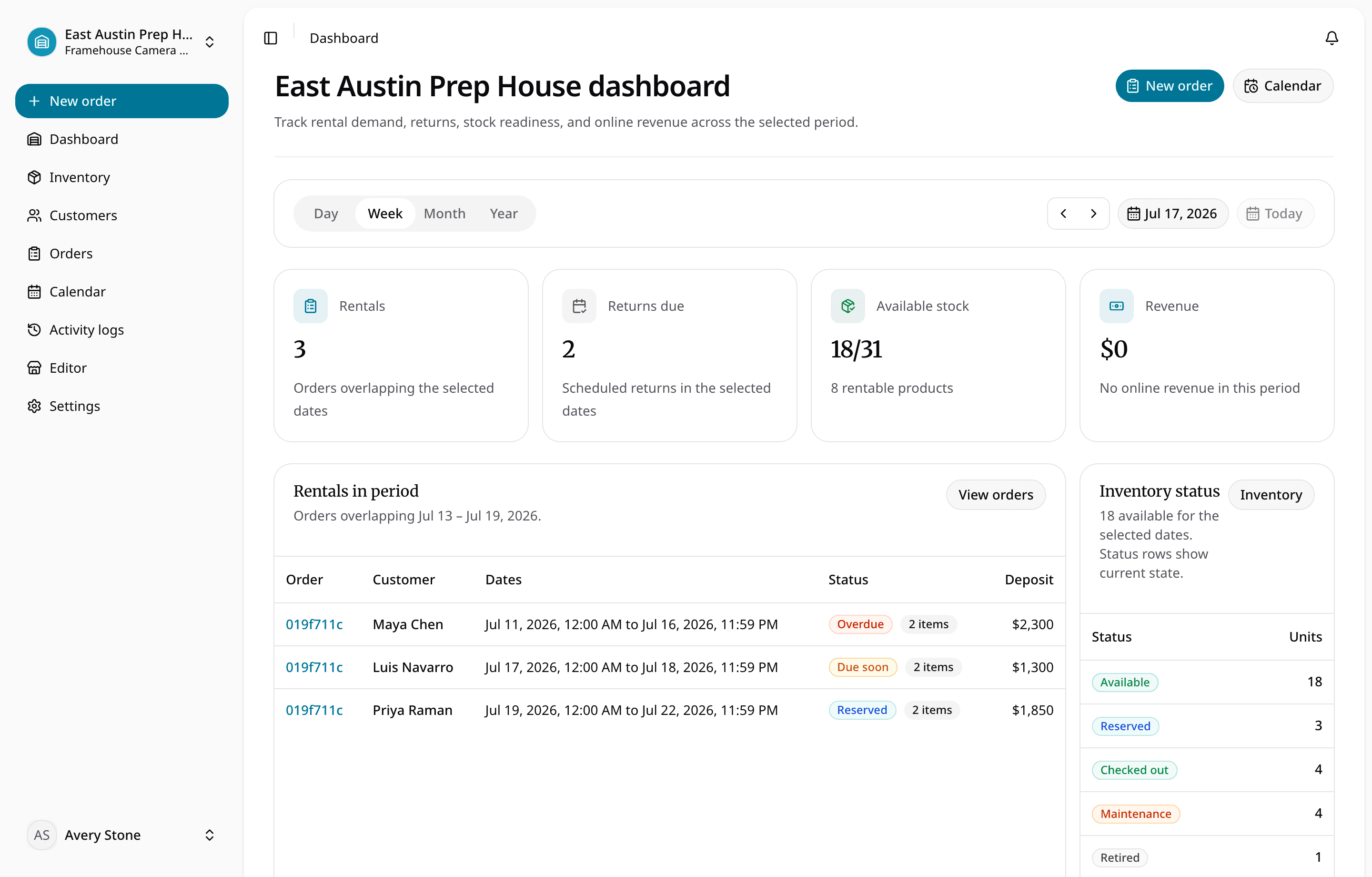
RentalBench is designed for small rental teams that want inventory, availability, customer requests, orders, storefront intake, deposits, checkout, returns, customers, addresses, and item readiness in one browser-based workflow.
It is a strong fit when the team:
- Has outgrown spreadsheets and shared calendars
- Needs both product-level and exact-unit tracking
- Wants staff approval before an online request becomes a reservation
- Needs checkout and return status to affect future availability
- Wants a customer-facing rental catalog tied to the same inventory
- Prefers focused daily operations over a broad enterprise rollout
It is not positioned as enterprise rental ERP, telematics, payroll, accounting, route optimization, crew scheduling, production project management, or a maintenance-management suite. If those areas drive the buying decision, evaluate systems built around them and verify how rental operations connect.
You can review the full equipment rental software workflow and current RentalBench pricing, then use the same three test orders during the 14-day trial.
Prepare a Low-Risk Migration
The first migration does not need every historical note. It needs enough accurate data to run the next rental.
Start with this checklist:
- Export and preserve the current source files before changing them.
- Remove duplicate products and standardize category names.
- Separate product information from physical item or SKU information.
- Decide which statuses are safe to map to ready, reserved, out, maintenance, lost, or retired.
- Confirm rates, deposits, locations, and item identifiers.
- Import a small sample and review every generated record.
- Create two staff users and confirm their normal tasks.
- Run the three test orders from request through inspected return.
- Export a sample of the new data before importing the full catalog.
- Choose a cutover time and stop editing the old spreadsheet once live work begins.
RentalBench supports a mapped preview before inventory is committed. The rental inventory spreadsheet guide helps prepare the file before import.
Frequently Asked Questions
What is the best equipment rental software for a small business?
The best option is the one that matches the business's inventory model and completes its real request-to-return workflow. Test inventory, availability, orders, checkout, returns, customers, storefront intake, and data export with realistic scenarios instead of choosing from the longest feature list.
How should I compare equipment rental software?
Use the same three test orders and the same weighted scorecard for every option. Mark must-have workflows before the trial, score each from 0 to 3, and disqualify products that require a separate tool for inventory, availability, or return readiness.
Can equipment rental software replace spreadsheets?
Yes, when the system can import the useful catalog and item data, represent current status accurately, and give every staff member a shared view of orders and availability. Keep a source-file backup, test a small import, and verify exports before the full cutover.
Do I need enterprise rental ERP?
Choose enterprise ERP when finance, telematics, complex maintenance, route optimization, or multi-division controls drive the project. A focused rental platform can be a better fit when a small team mainly needs inventory, reservations, storefront requests, checkout, returns, and customer history.
Make the Decision From Evidence
The best equipment rental software should make daily rental work easier to verify. Staff should be able to see what exists, what is available, what was promised, what left, what came back, and what is ready again without rebuilding the answer from several tools.
Define the seven workflows, run three test orders, score the same evidence, and protect the must-have requirements. That process gives a small team a defensible decision even when every product page claims to be simple, complete, or all-in-one.
About Ciprian Redinciuc
Ciprian Redinciuc writes RentalBench product and rental operations guides based on the workflows implemented in RentalBench: inventory, availability, orders, storefront intake, deposits, checkout, and returns.