
Configure custom fields
Watch: Add custom fields
Define extra product, customer, or order information. · 0:33

Read the transcript
Custom fields let you record information specific to your rental business. Open Settings and choose Custom fields.
Choose Orders, enter Purchase order number as the label, and select Text as the field type. Other supported types include Number, Date, and Boolean. Save the definition.
Open an order and enter its purchase order number in the custom-fields section. Save and reload to confirm the value. Start supports up to five fields per record type; Plus and Pro support unlimited fields.
Admins can define optional fields for Products, Customers, and Orders. Start supports up to five fields per record type; Plus and Pro support unlimited fields per record type. Supported field types are text, number, date, and boolean.
Choose the record type, label, and value type carefully: staff see that definition on relevant create or detail surfaces. Values belong to individual records and remain organization-scoped. Remove a definition only after considering how its existing values are used in operational history.
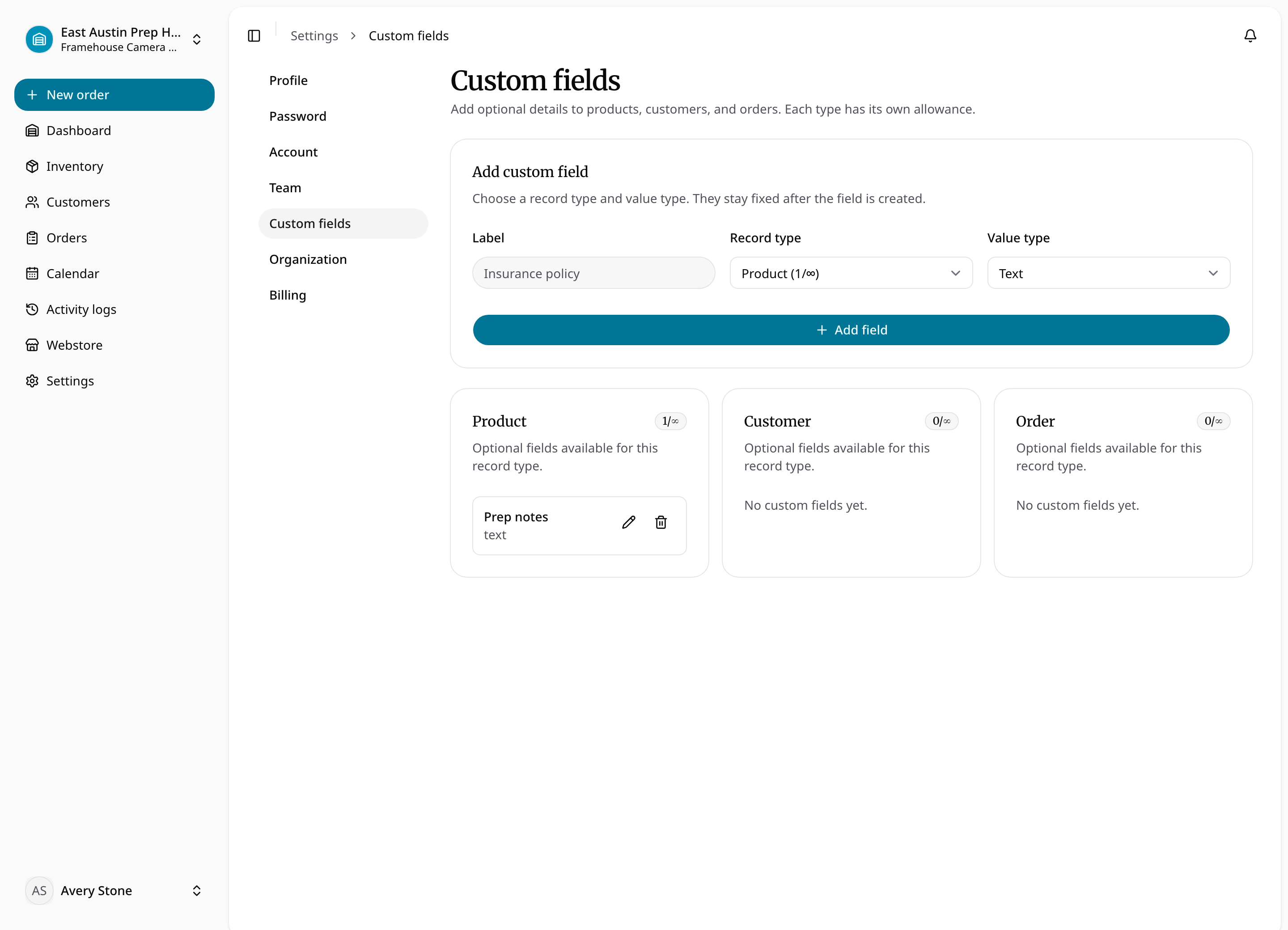
Add a field
- Open Settings → Custom fields as an admin.
- Choose Products, Customers, or Orders as the record type.
- Enter a clear label and select Text, Number, Date, or Boolean.
- Save the definition, then open a relevant record to enter a value.
- Save and reopen the record to confirm that its value is retained.
The definition is shared across the organization for that record type; its value belongs to each individual record. A field for Products does not automatically appear on Customers or Orders. If Start has reached five definitions for that type, review existing definitions or choose a plan with more capacity. A downgrade does not delete existing definitions or values.